
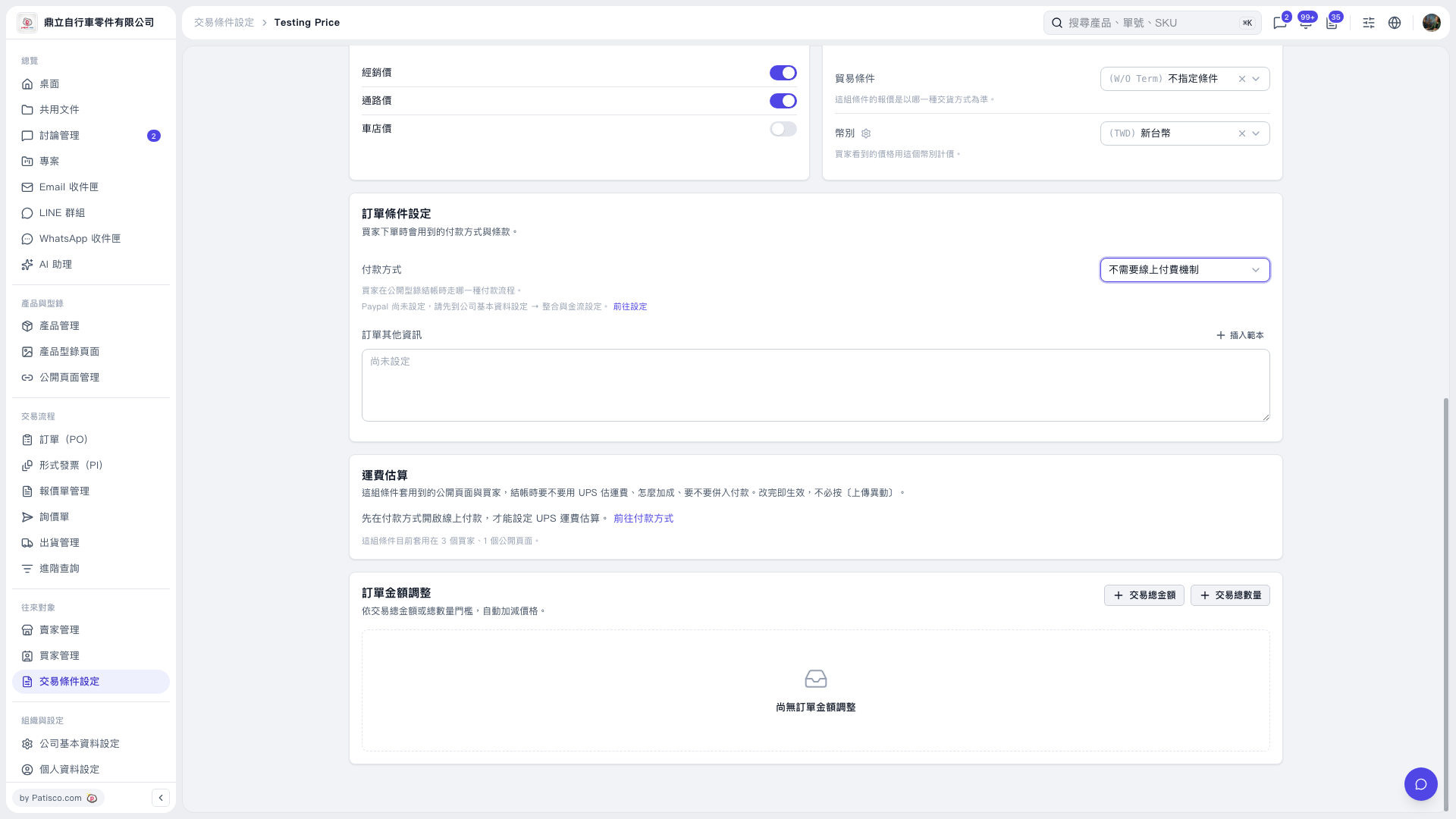
1. On the Trading Condition 'Testing Price' page, find the 'Payment Method' dropdown in 'Trading Condition Setting'. 2. Select 'No online payment mechanism required' to switch to offline payment. After switching to offline payment, shipping rate estimation will be disabled. 3. If you want to use UPS shipping rate estimation, click 'Go to Payment Method', enable online payment first, then set up shipping rate estimation. Changes in the Shipping Rate Estimation section take effect immediately without needing to click 'Upload Changes'.
 V5 新桌面版|Testing Price