
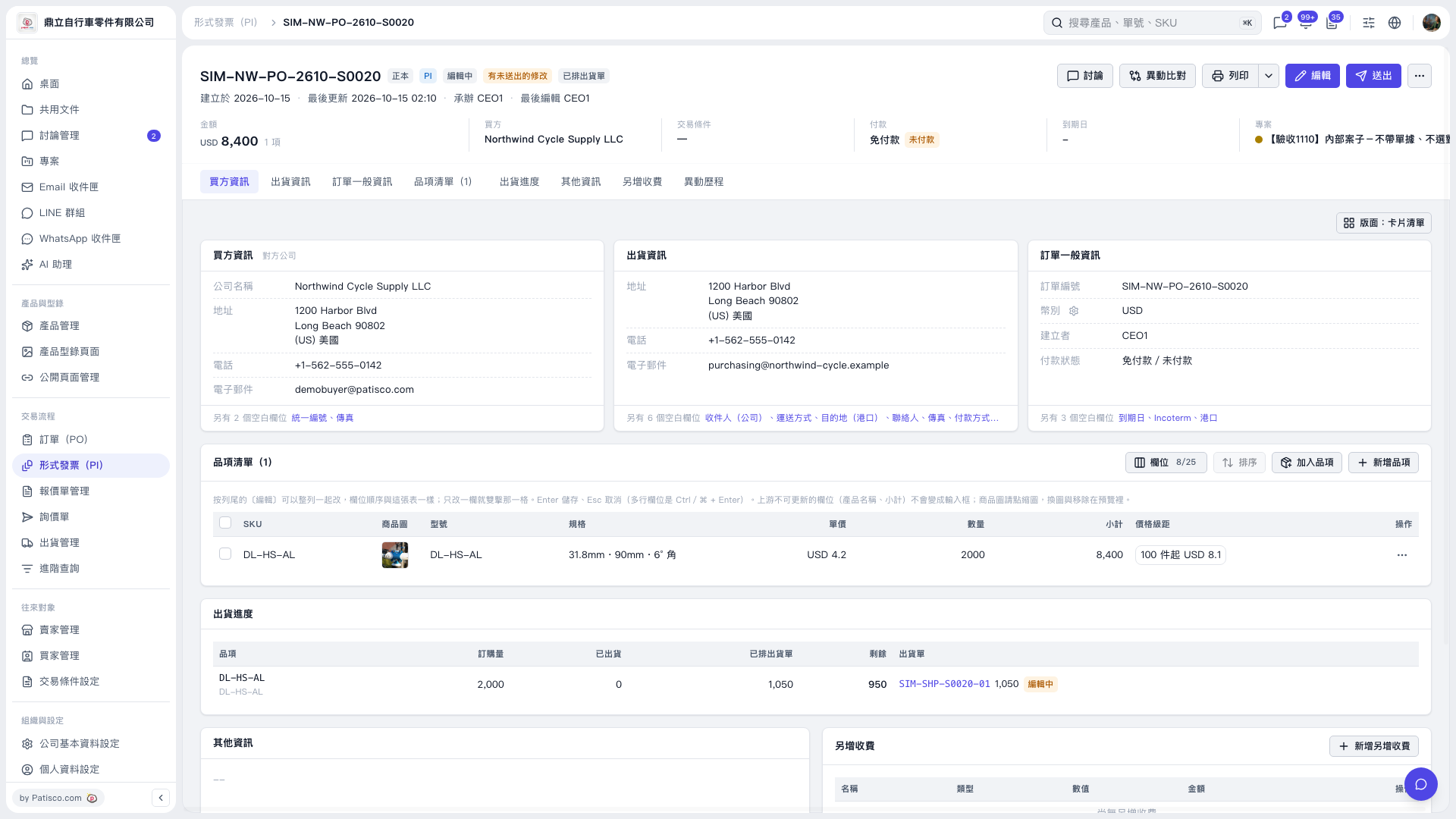
1. On the Proforma Invoice page, click "Shipping Progress". 2. View the "Ordered Quantity", "Shipped", "Shipment Order Created" and "Remaining" quantities for each item. 3. Click "SIM-SHP-S0020-01" in the "Shipment Order" column to open the corresponding shipment order.
 V5 新桌面版|SIM–NW–PO–2610–S0020