
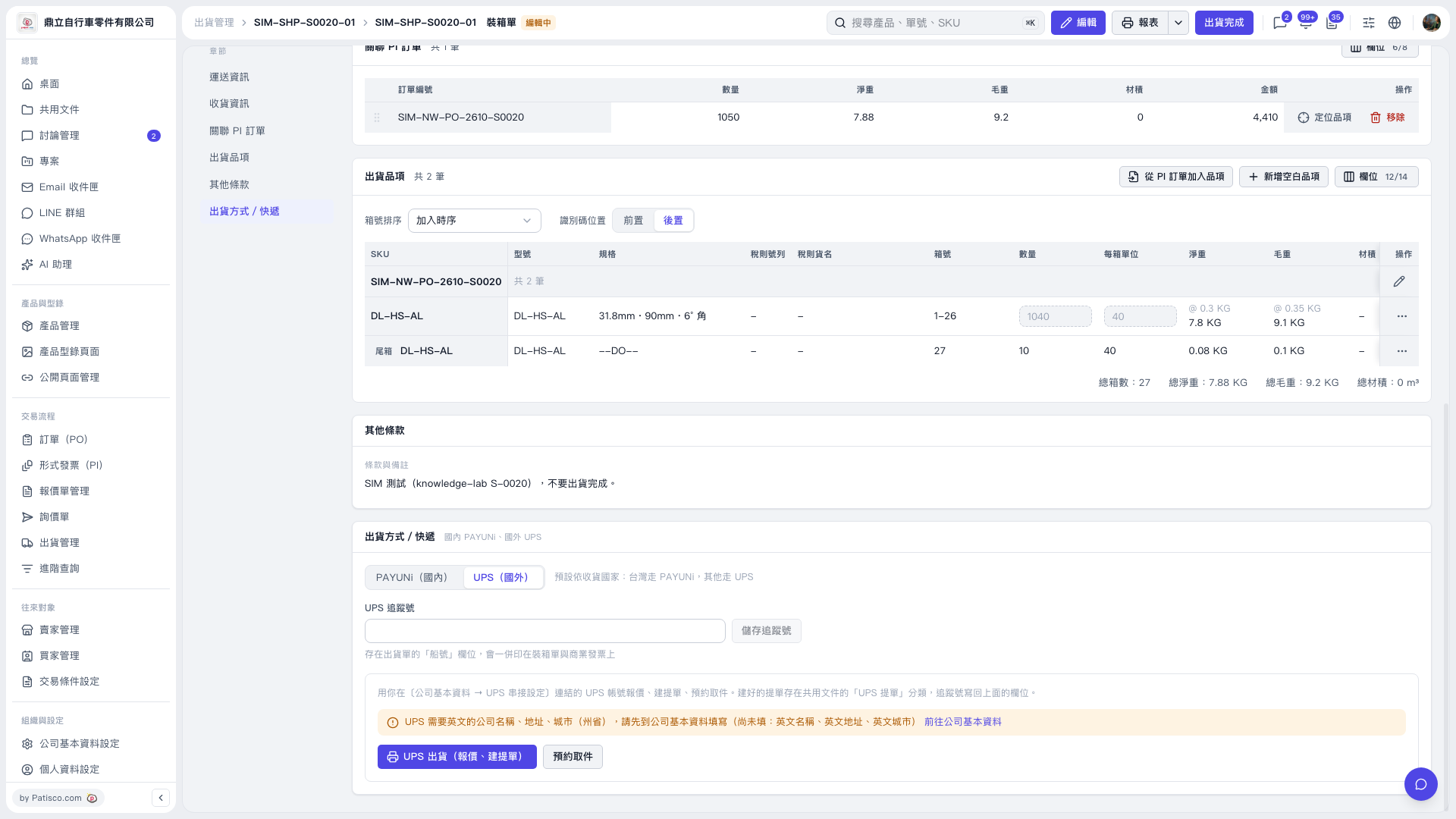
1. In the packing list's "Shipping Method / Courier" section, select "UPS (International)". 2. If a yellow prompt appears indicating missing data, click "Go to Company Information" to complete the English company name, English address and English city, and confirm that "Company Information → UPS Integration Setting" has linked the UPS account. 3. Return to the packing list and click "Schedule Pickup". The pickup address defaults to company information, and this test displays "Ding Li Bicycle Parts Co., Ltd.". 4. After selecting "Supplier", the screen will show "Bring in from Supplier", through which you can bring in the supplier's pickup address. 5. This shipment's remark requires not completing the shipment. Do not click "Shipment Complete" in the upper right corner.
 V5 新桌面版|SIM–SHP–S0020–01 裝箱單