
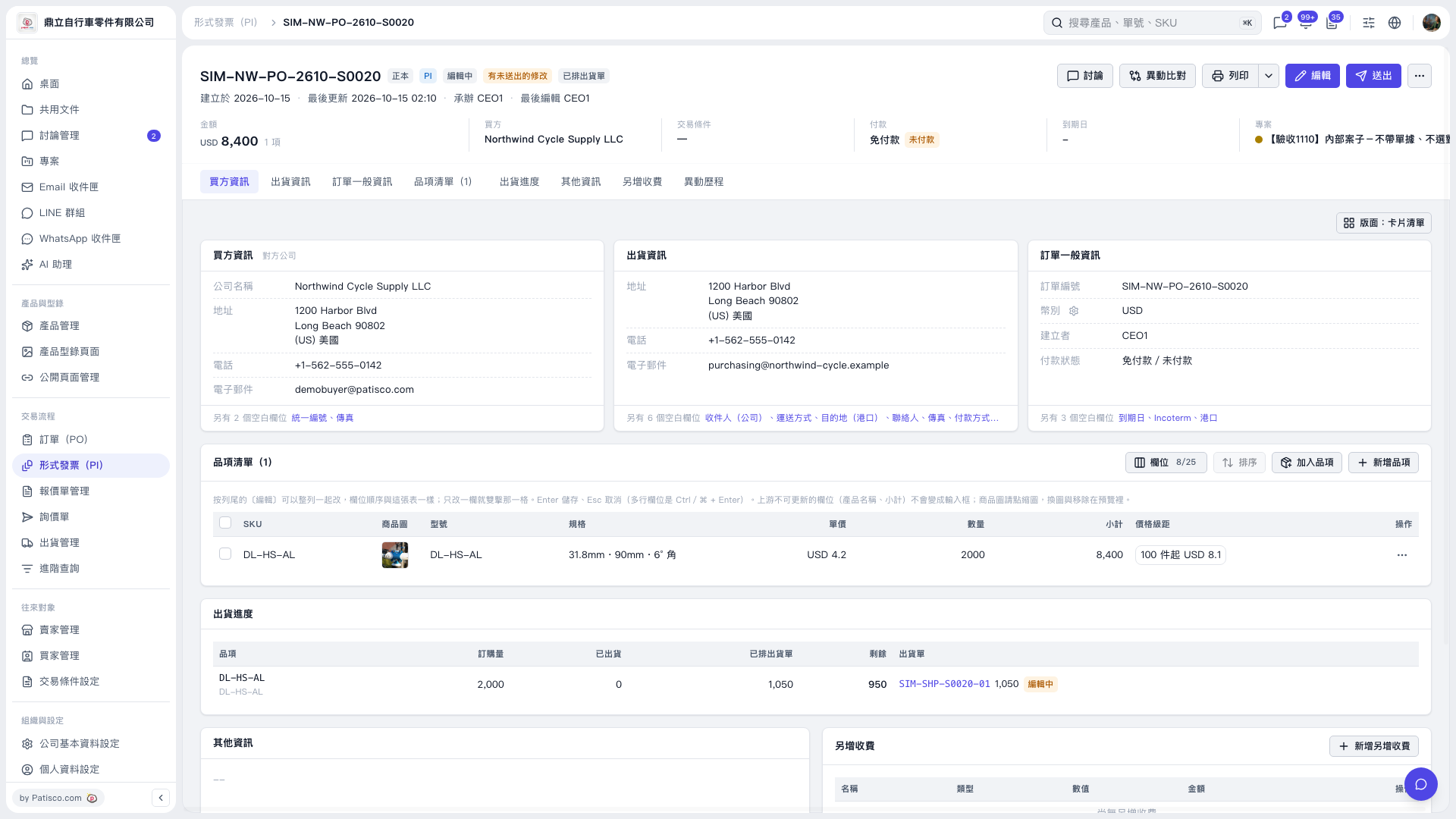
1. At the top of the Proforma Invoice page, verify the document number, buyer, amount and payment status. 2. Click "Buyer Information", "Shipping Information" or "Order General Information" to view the corresponding data; when modifications are needed, click "Edit" in the upper right corner. 3. In "Item List (1)", verify specifications, unit price and quantity; when adding items, click "Add Item" or "New Item". 4. After confirming the data, click "Submit" in the upper right corner. When printing is needed, click "Print".
 V5 新桌面版|SIM–NW–PO–2610–S0020