
1. Check the “Change Summary” at the top for added or deleted items and differences in shipping dates and amounts. 2. Compare the “Our Side” and “Other Party” data row by row, including the order number, estimated time of departure (ETD), currency, and trading terms. Pay particular attention to ETD differences highlighted with a background color and red text. 3. When you have finished reviewing, tap “Cancel” in the upper-left corner to close the “Sync Comparison” window and return to the PI order page.
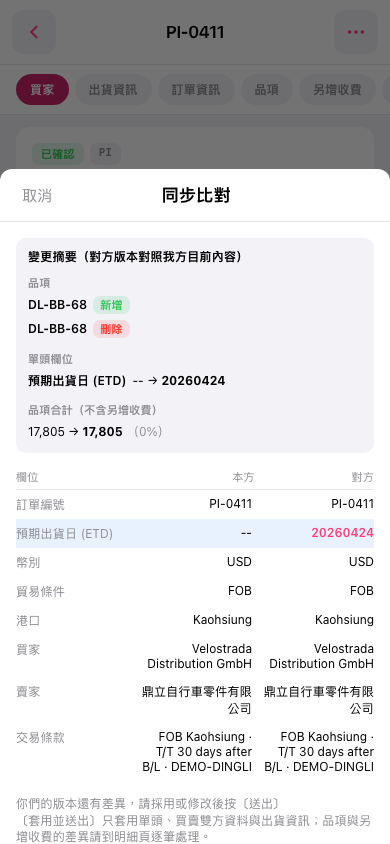 手機版|同步比對