
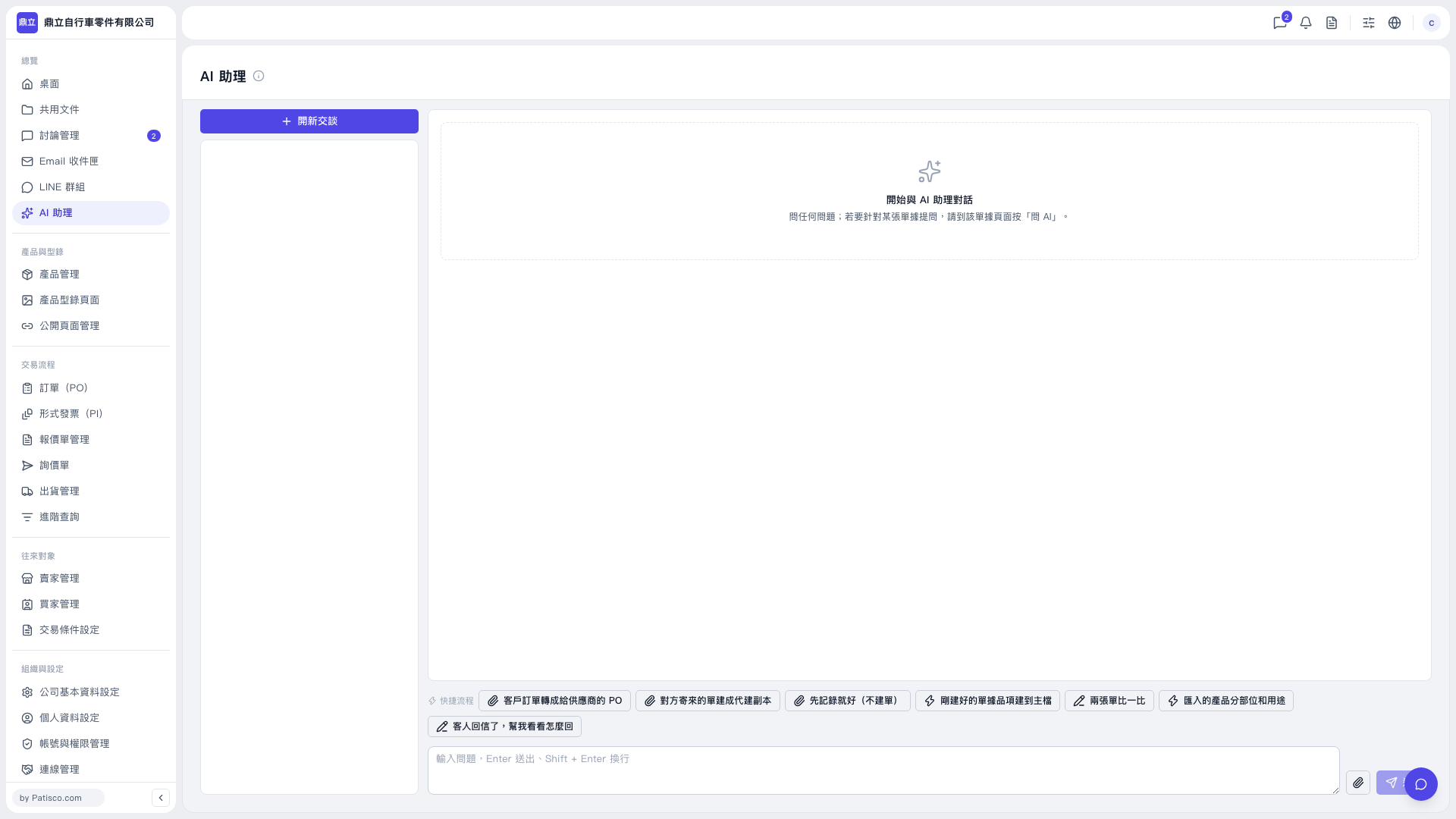
1. Open the “AI assistant” page and click “New Conversation” above the conversation list on the left. 2. Enter your question in the message box at the bottom. You can also click “Quick Workflows” to select a common task. 3. If you need to provide a file, click the paperclip icon on the right side of the message box to attach it. 4. Press Enter or click the paper plane icon to send your message. Press Shift + Enter to insert a line break.
 V5 新桌面版|AI 助理