
1. On the quotation page, check the buyer, seller, quotation information, items, and amounts. 2. To print the quotation, click “Print” in the upper-right corner. 3. To convert the quotation to a Proforma Invoice (PI), click “Convert to PI” at the lower right of the summary section at the top.
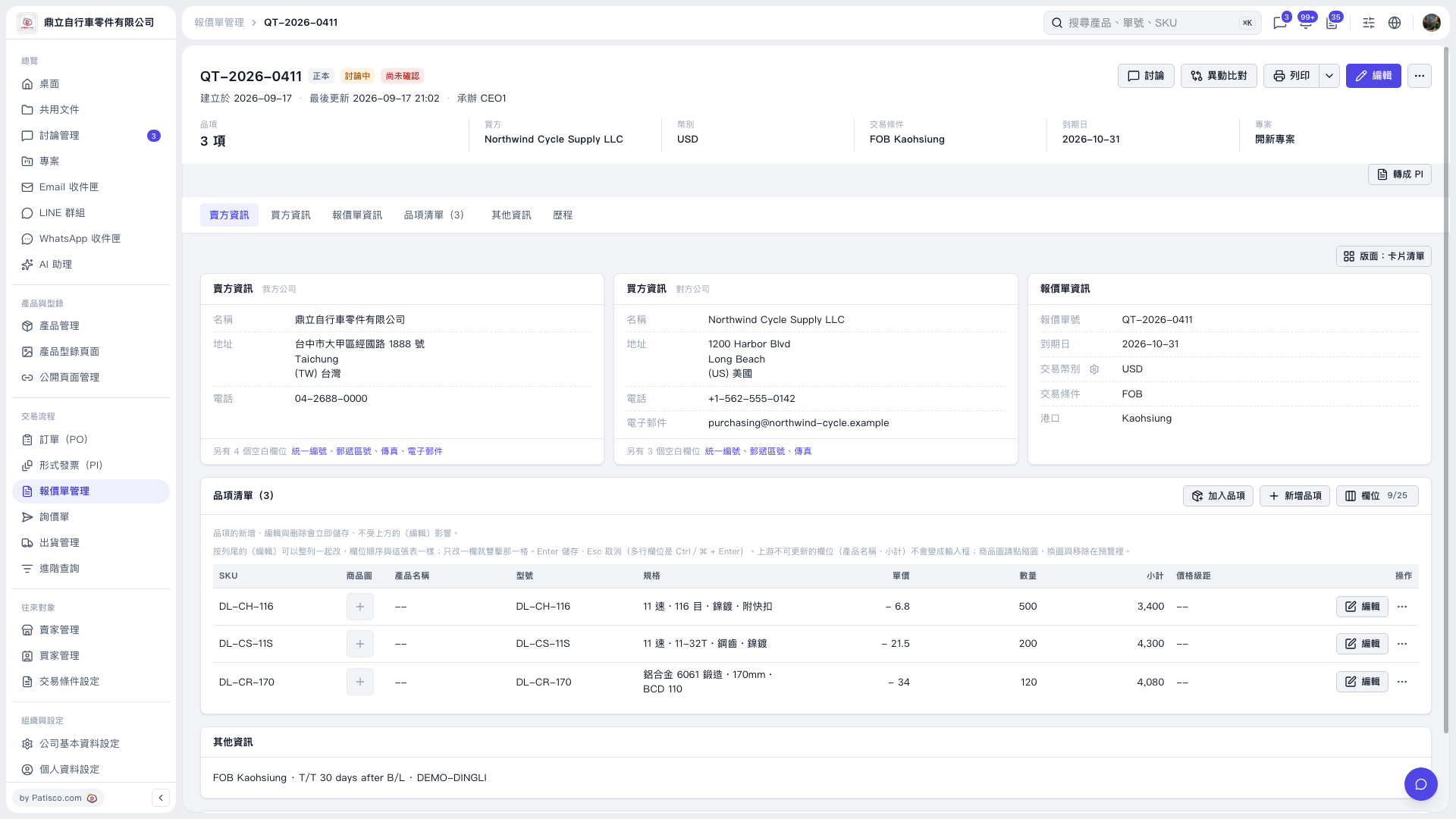 V5 新桌面版|QT–2026–0411