
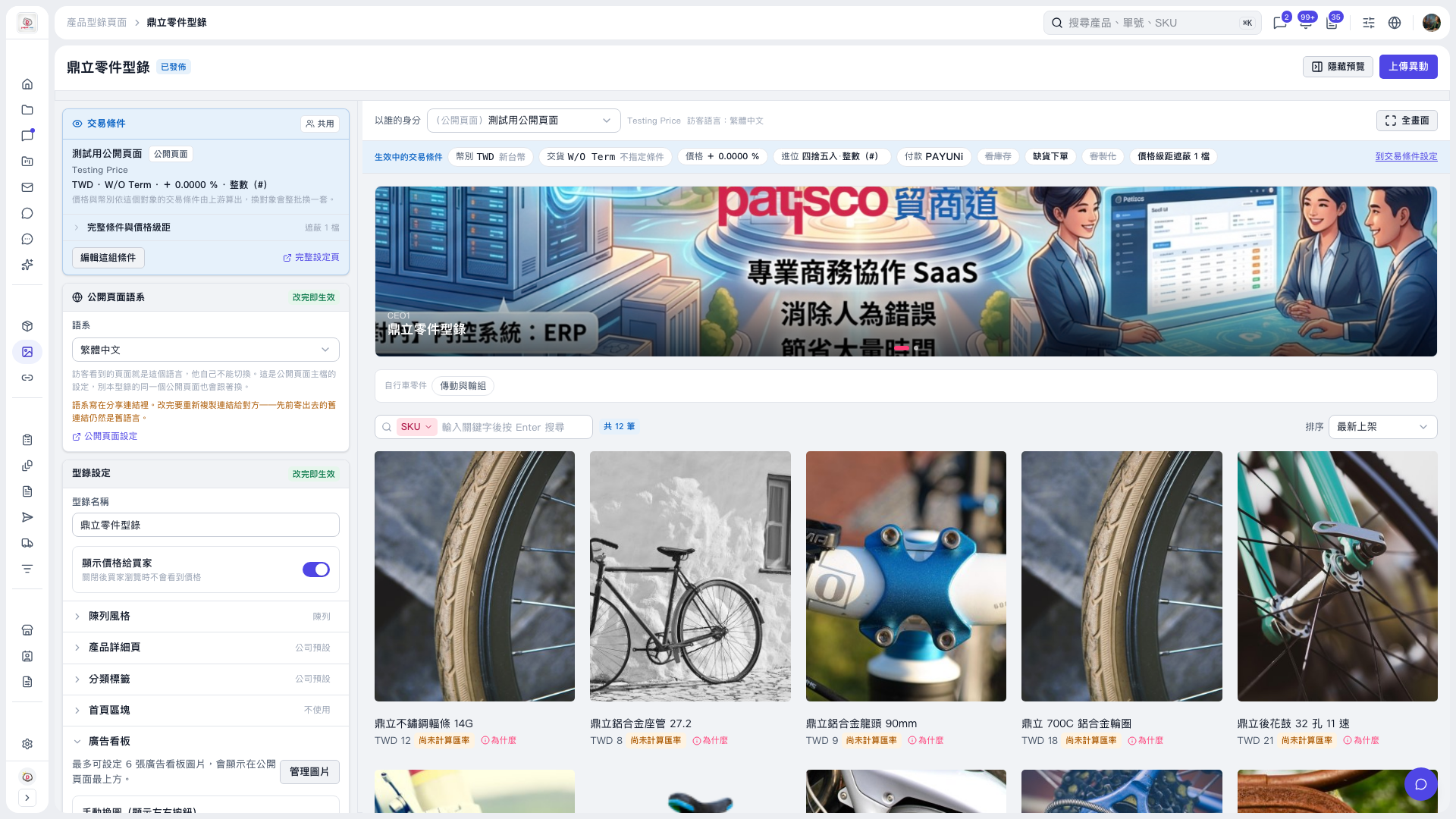
1. On the “鼎立 Parts Catalog” page, expand “Banner” under “Catalog Settings” on the left. 2. Click “Manage Images” to manage the banner images at the top of the public page. You can set up to 6 images. 3. Check the appearance in the preview area on the right. You can also click “Full Screen” for a larger view. 4. When you have finished making adjustments, click “Upload Changes” in the upper-right corner.
 V5 新桌面版|鼎立零件型錄