
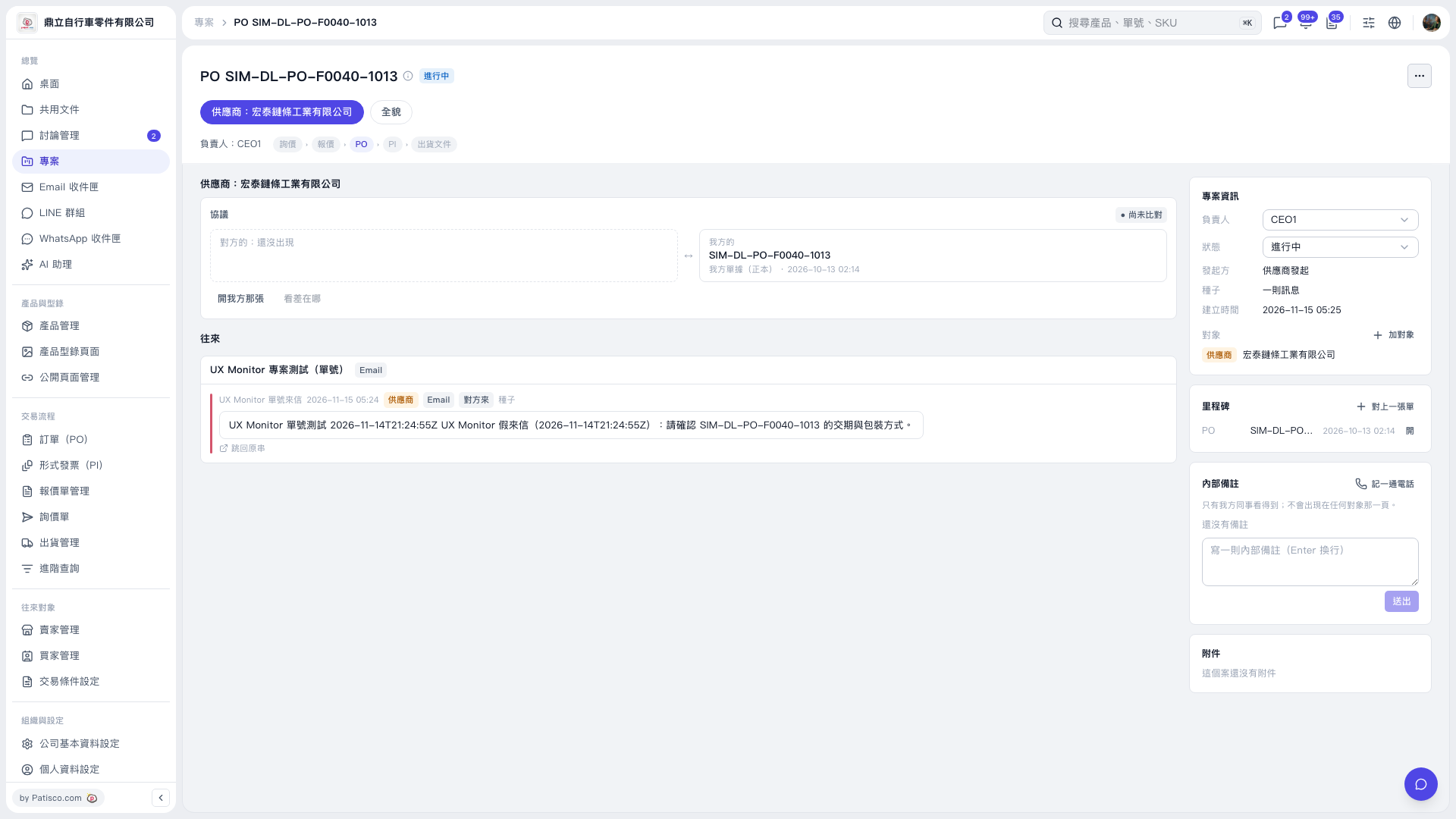
1. Open the PO project and read the emails in the “Correspondence” section to check the delivery dates and packaging requirements requested by the other party. 2. To view the full conversation, click “Back to original thread” below a correspondence message. 3. To view our linked PO, click “Open our document” in the “Agreement” section. The other party's document has not yet appeared on this screen, and the comparison has not been completed. 4. To link another document, click “Link a document” in the milestone section on the right.
 V5 新桌面版|PO SIM–DL–PO–F0040–1013