
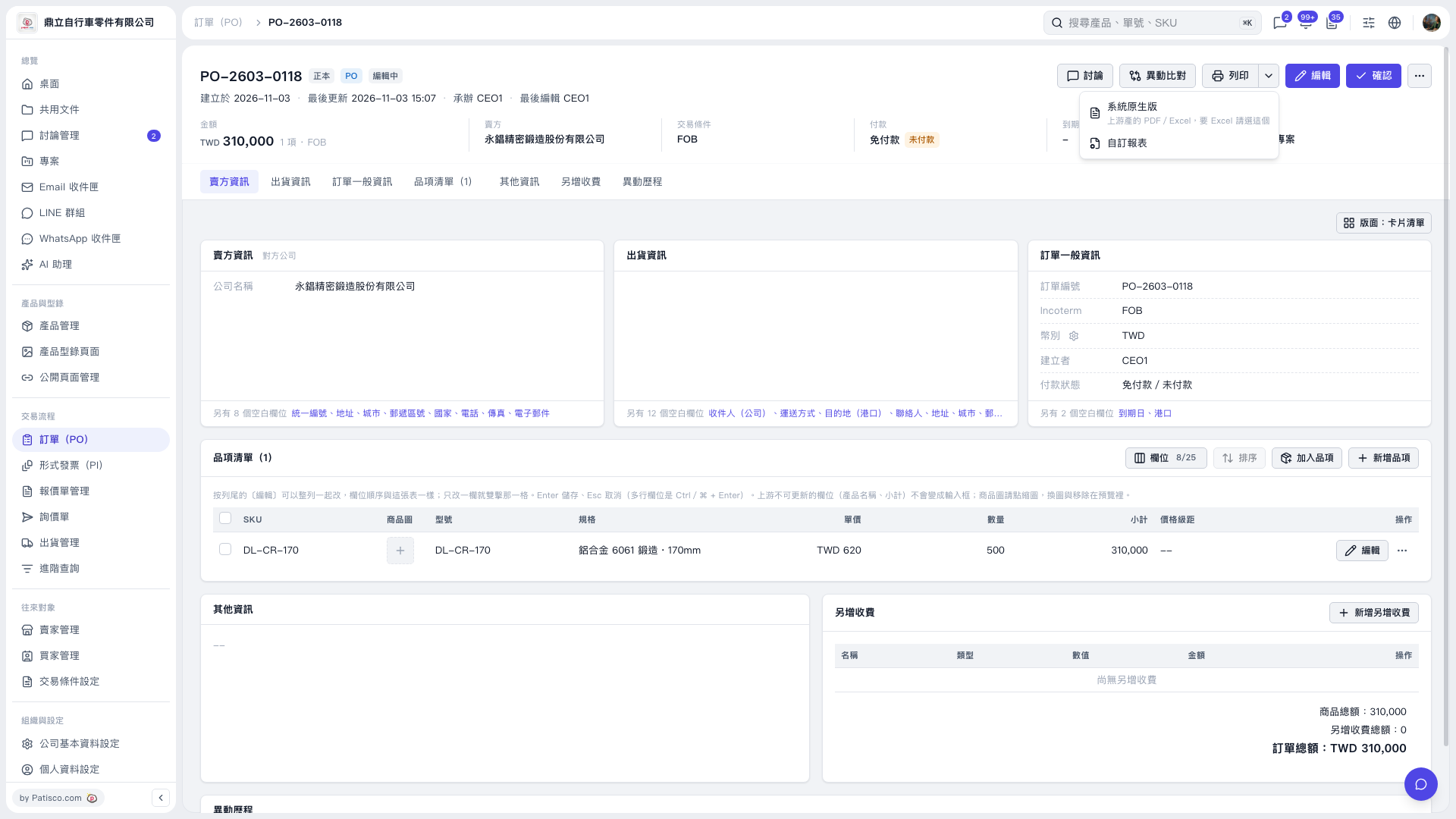
1. Open the PO, confirm that the PO number is “PO-2603-0118,” and check the seller, items, quantities, and PO total. 2. Click the drop-down arrow next to “Print” in the upper-right corner to open the print menu. 3. To use a system-native report, click “System Native Version,” which supports PDF/Excel. Select this option when you need Excel. 4. To use a custom format, click “Custom Report.”
 V5 新桌面版|PO-2603-0118