
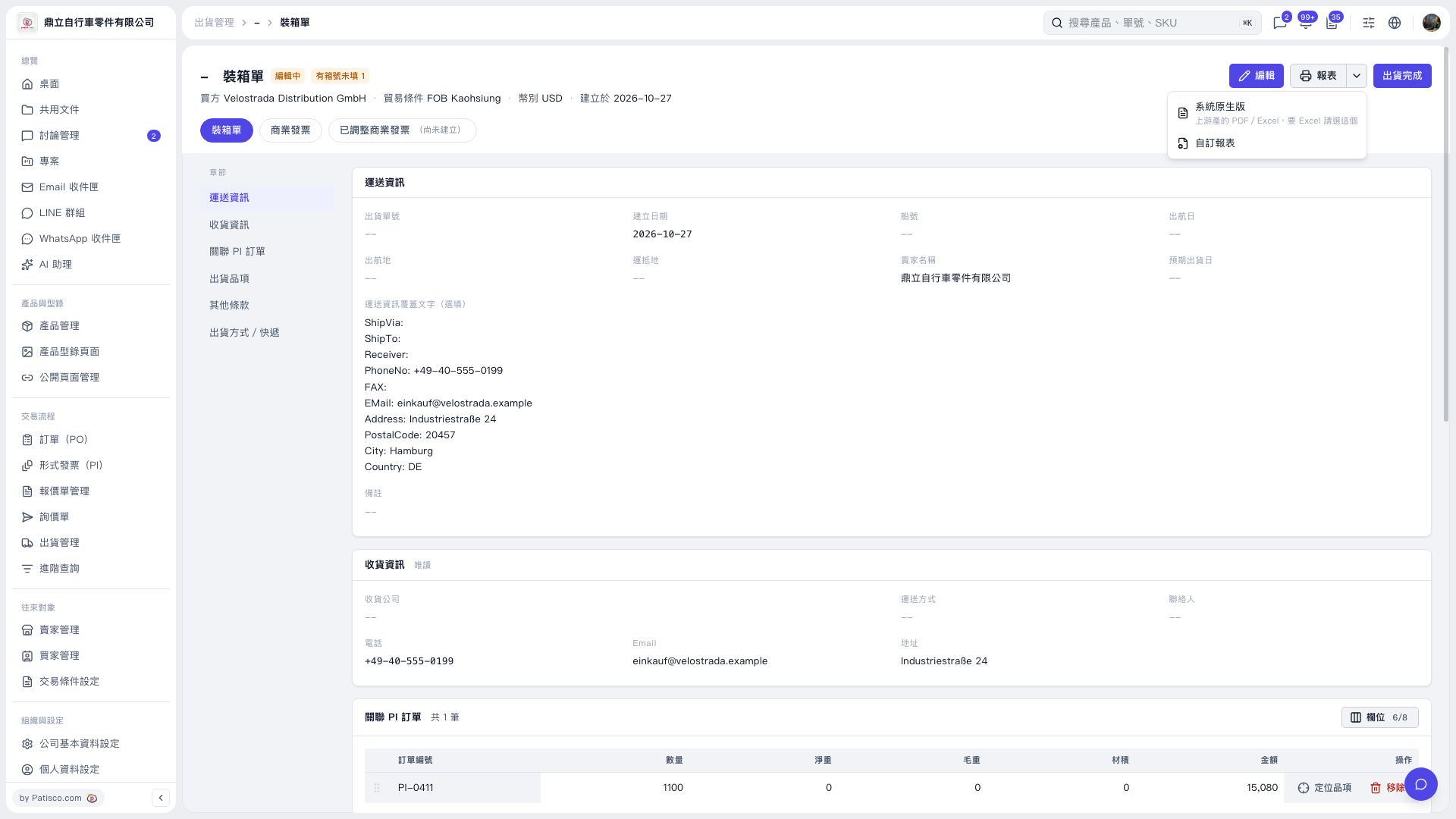
1. On the “Packing List” tab, first check the shipping information, receiving information, and linked PI orders. 2. If changes are needed, click “Edit” in the upper-right corner. The current page indicates that one box number is missing; you can check and fill it in first. 3. Click the drop-down arrow next to “Reports” in the upper-right corner and select “System Native Version” or “Custom Report.” 4. Print or export using the options on the subsequent report screen. “System Native Version” indicates support for PDF/Excel, with a separate inquiry required for Excel.
 V5 新桌面版|裝箱單