
1. On the product details page, check the product name, SKU, and current specifications, then find "Other Variants of This Product" at the bottom right. 2. Click the sizes "25c" and "27c" or the colors "Black" and "Tan" to filter the variants. You can select multiple options in the same row. For example, selecting both "25c" and "27c" for size and "Black" for color displays 2 variants for this test product. 3. A dashed border indicates that no product exists for that combination of specifications. For example, when only "27c" is selected for size, "Tan" has a dashed border. 4. Click "All Variants (3)" to expand the variant list. This product is fixed test data. Do not delete, rename, archive, or remove it from its group.
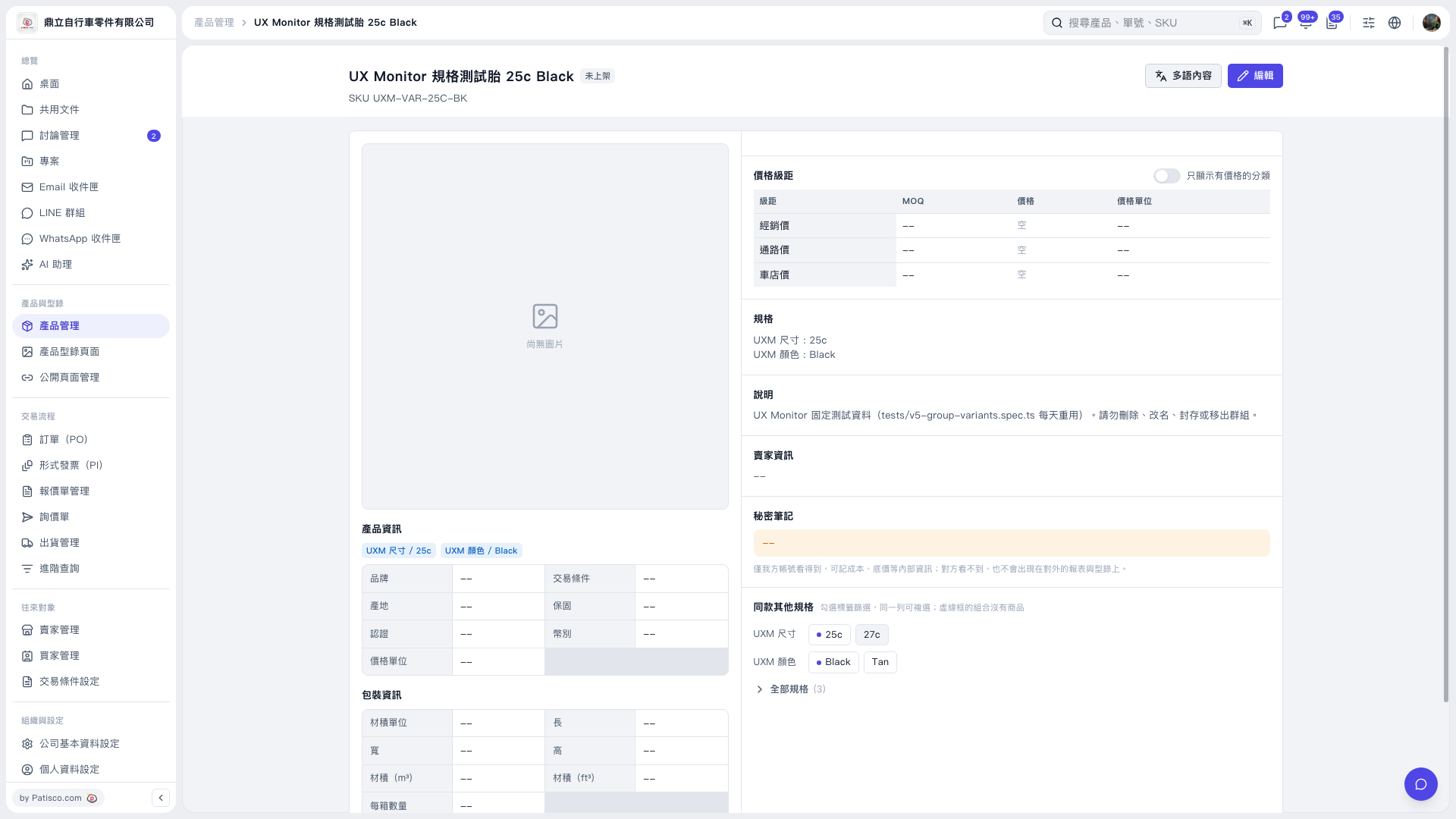 V5 新桌面版|UX Monitor 規格測試胎 25c Black