
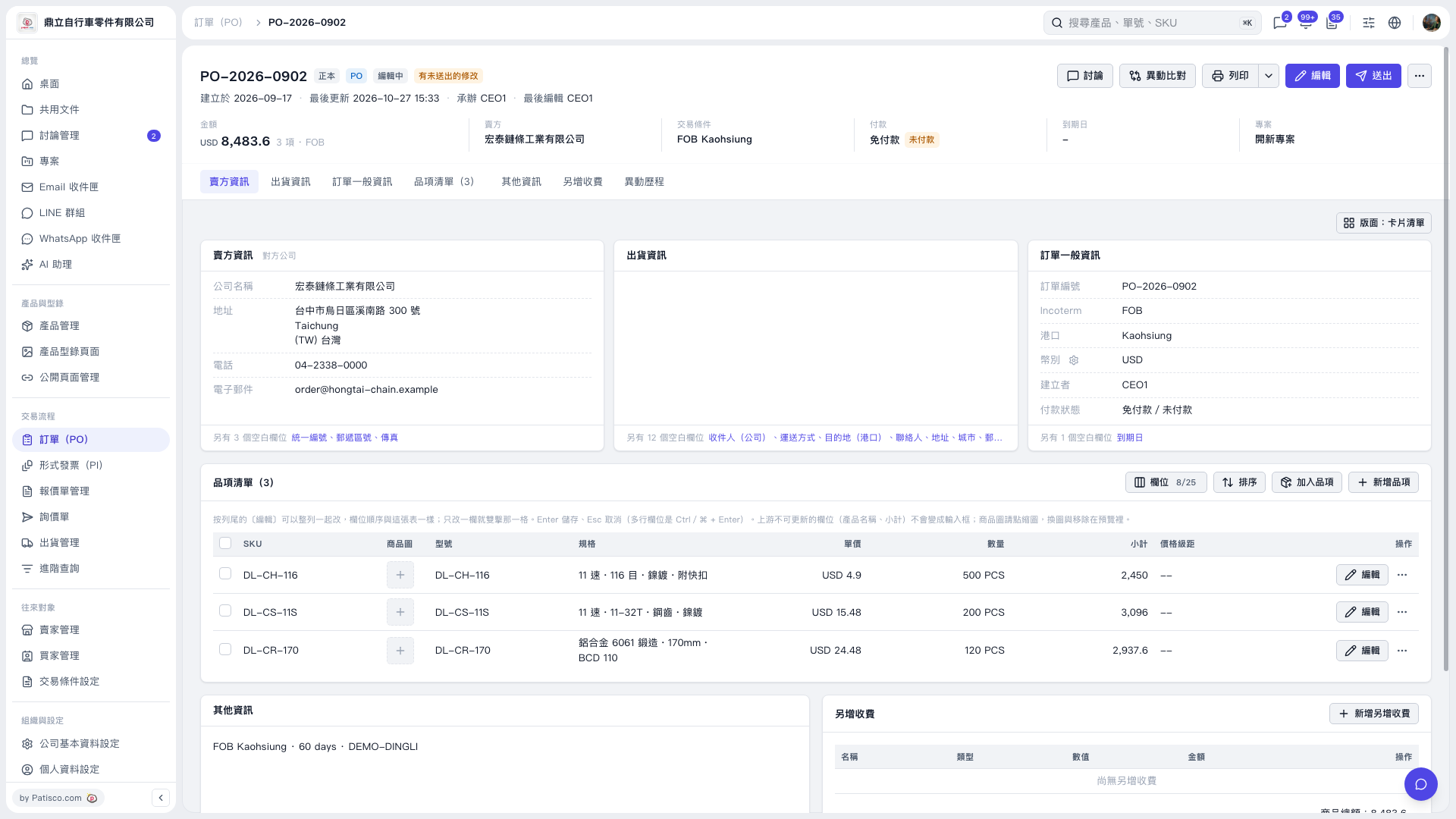
1. Open the details page of the PO you want to view. 2. To print the PO, click "Print" in the upper-right corner. There is also a dropdown menu next to it. 3. To compare changes to the PO, click "Diff view" in the upper-right corner. 4. To open the discussion for this PO, click "Discussion" in the upper-right corner.
 V5 新桌面版|PO–2026–0902