
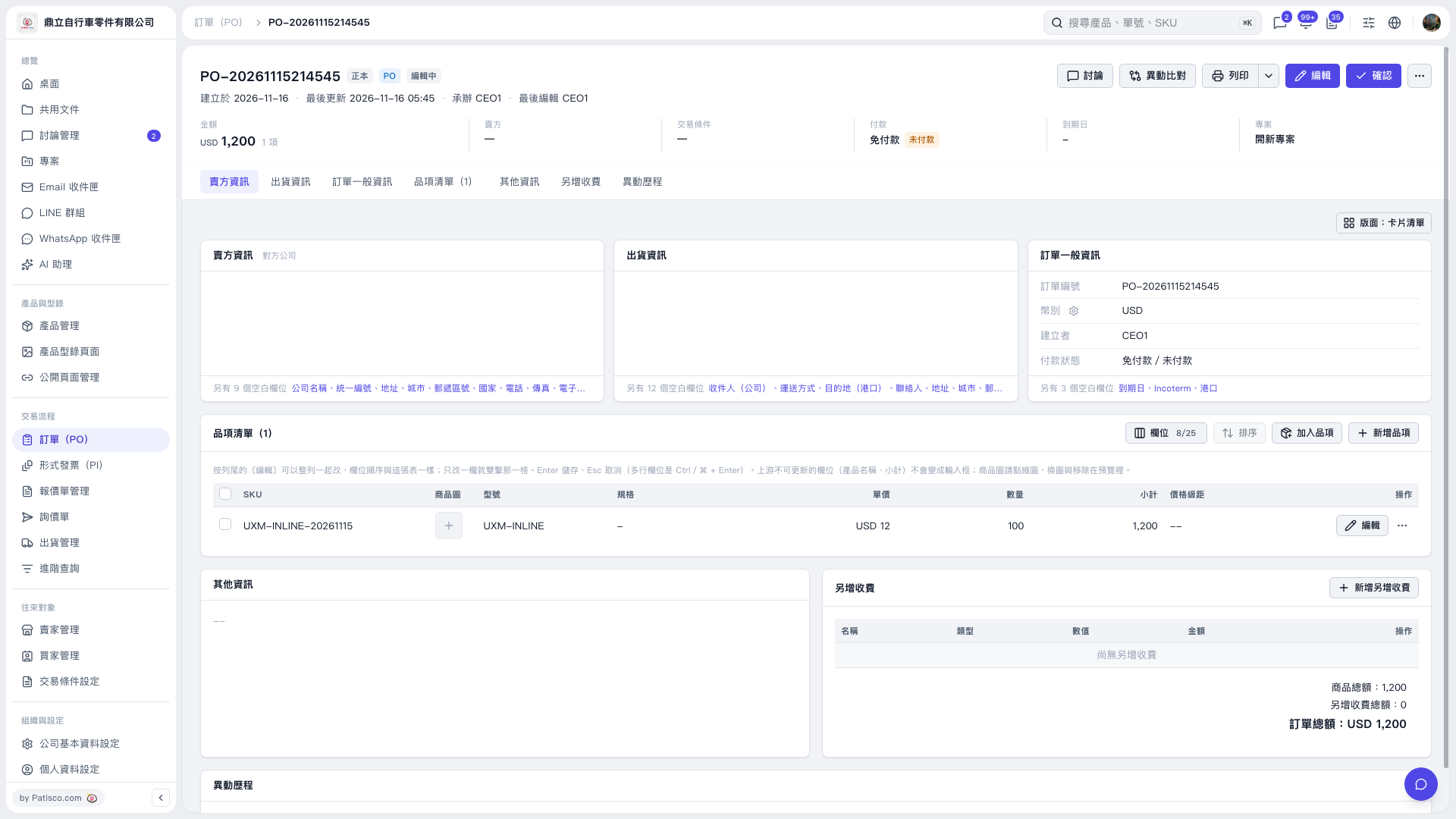
1. Open the PO and click "Edit" in the upper-right corner. 2. In the item list, click the "Unit Price" field, enter the amount, and press Enter to save. To cancel this entry, press Esc. You can also click "Edit" on the right side of the item row to make changes. 3. After checking the item amounts and the PO total, click "Confirm" in the upper-right corner.
 V5 新桌面版|PO-20261115214545