
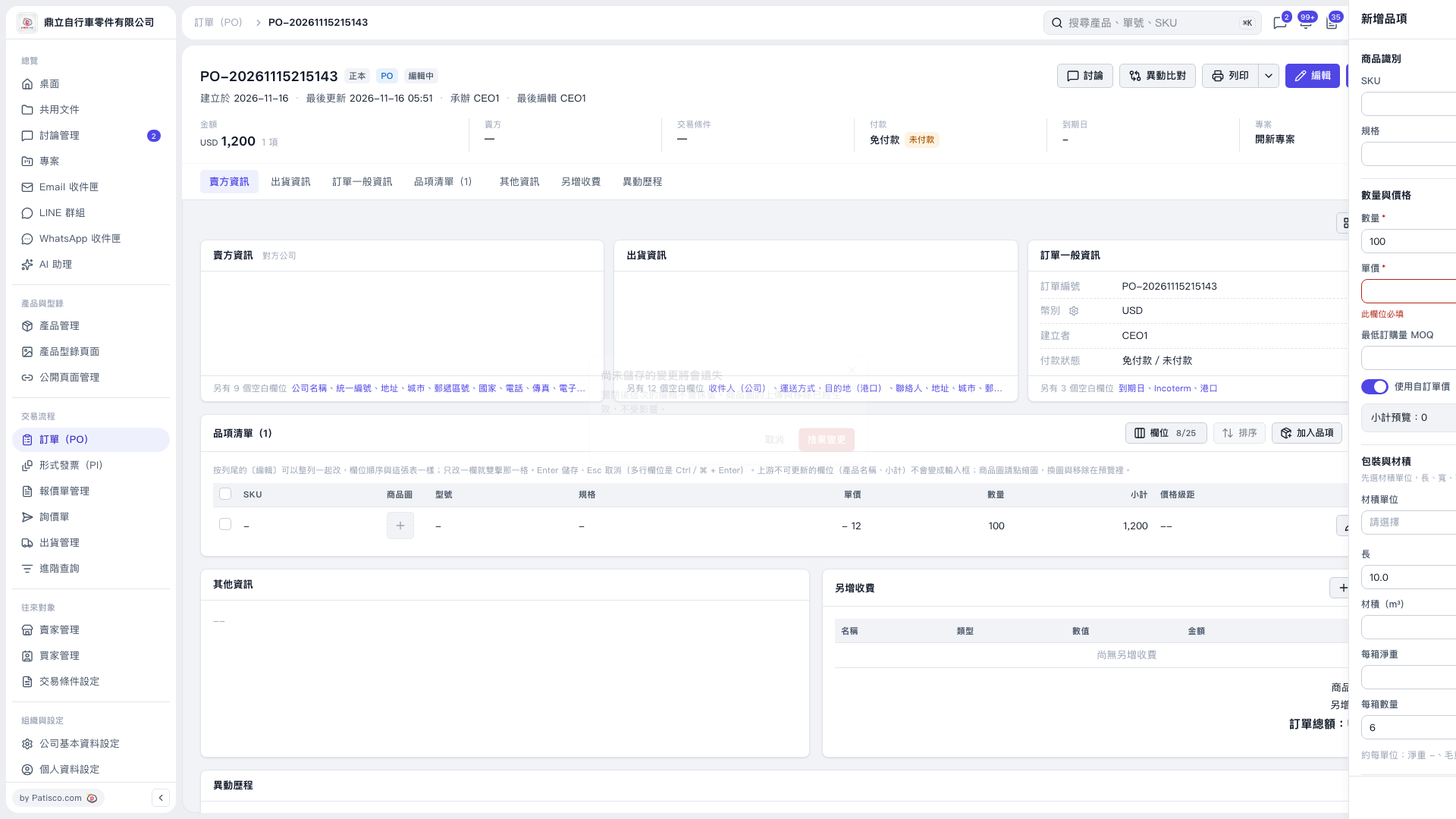
1. Click “Add Item” in the upper-right corner of the item list to open the add-item panel on the right. 2. Enter the SKU, specifications, and “Quantity”. 3. When “Use Custom Unit Price” is enabled, “Unit Price” is required. If the field has a red border and displays “This field is required”, enter a price. 4. Check the “Subtotal Preview” and enter the “Minimum Order Quantity (MOQ)” and packaging and volume information as needed.
 V5 新桌面版|PO-20261115215143