
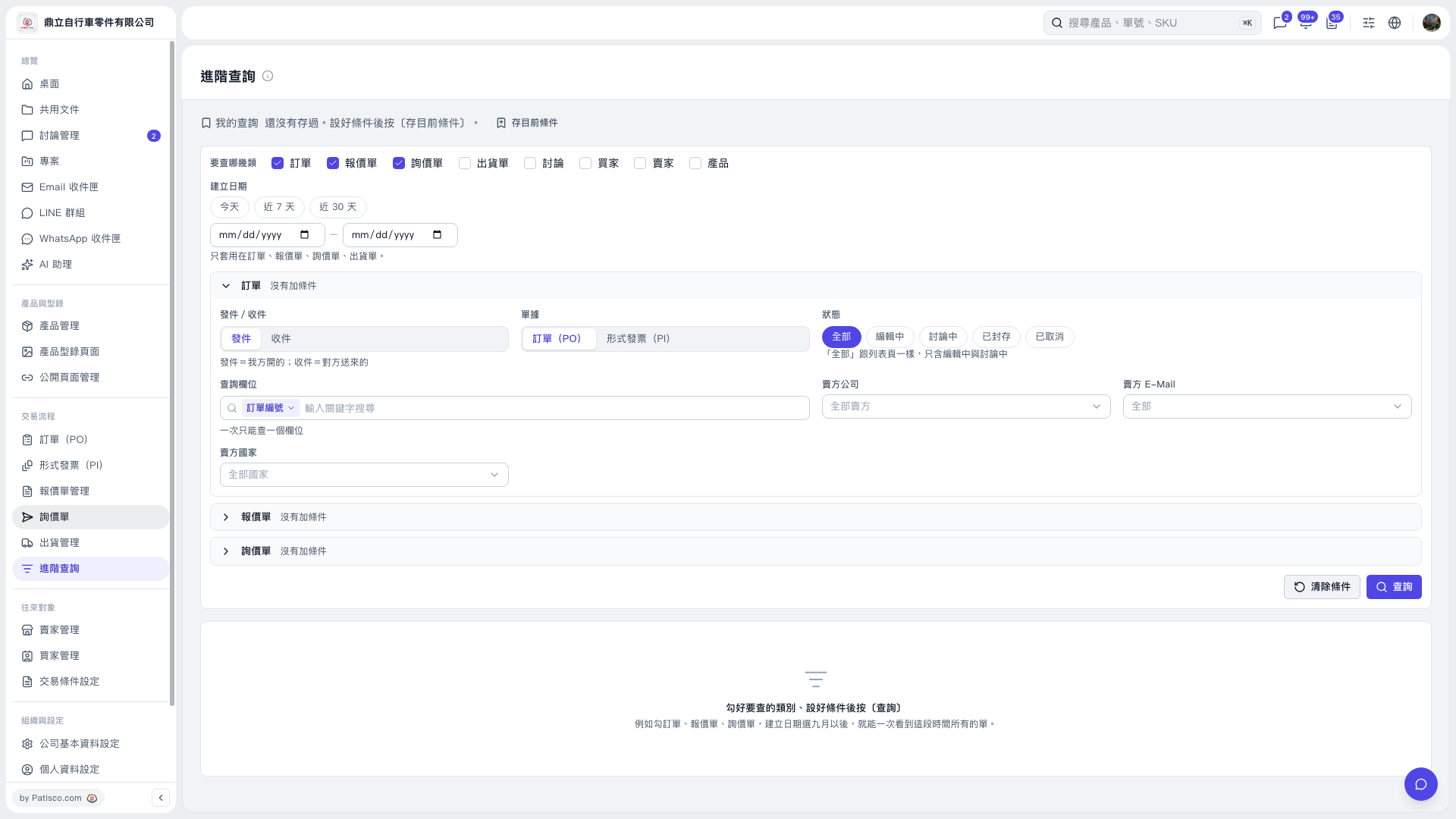
1. In Advanced Search, select “PO” under “What to search”. 2. To limit the creation date, click “Today”, “Last 7 Days”, or “Last 30 Days”, or enter a start date and an end date. The creation date filter applies only to POs, quotations, inquiries, and shipping documents. 3. Expand “PO” and set the sent/received direction, document type, and status. Note: “All” includes only documents with an “Editing” or “In Discussion” status. To find archived or canceled POs, select the corresponding status. 4. To search by keyword, select a “Search Field” first, then enter a “Keyword”. You can search only one field at a time. You can also set “Seller Company”, “Seller E-Mail”, or “Seller Country”. 5. Click “Search” at the bottom right to view the results.
 V5 新桌面版|進階查詢