
1. On the PO details page, first check the PO number, company name, Incoterm, currency, and payment status. 2. To edit the PO details, click “Edit” at the top right. 3. To edit an existing item, click “Edit” on the right side of its row. To add a product, click “Add Item” or “New Item” above the item list on the right. 4. If there are additional charges, click “Add Additional Charge” and check the product total, additional charges total, and PO total. 5. After checking the details, click “Confirm” at the top right to confirm the PO. 6. To print, click “Print” at the top right.
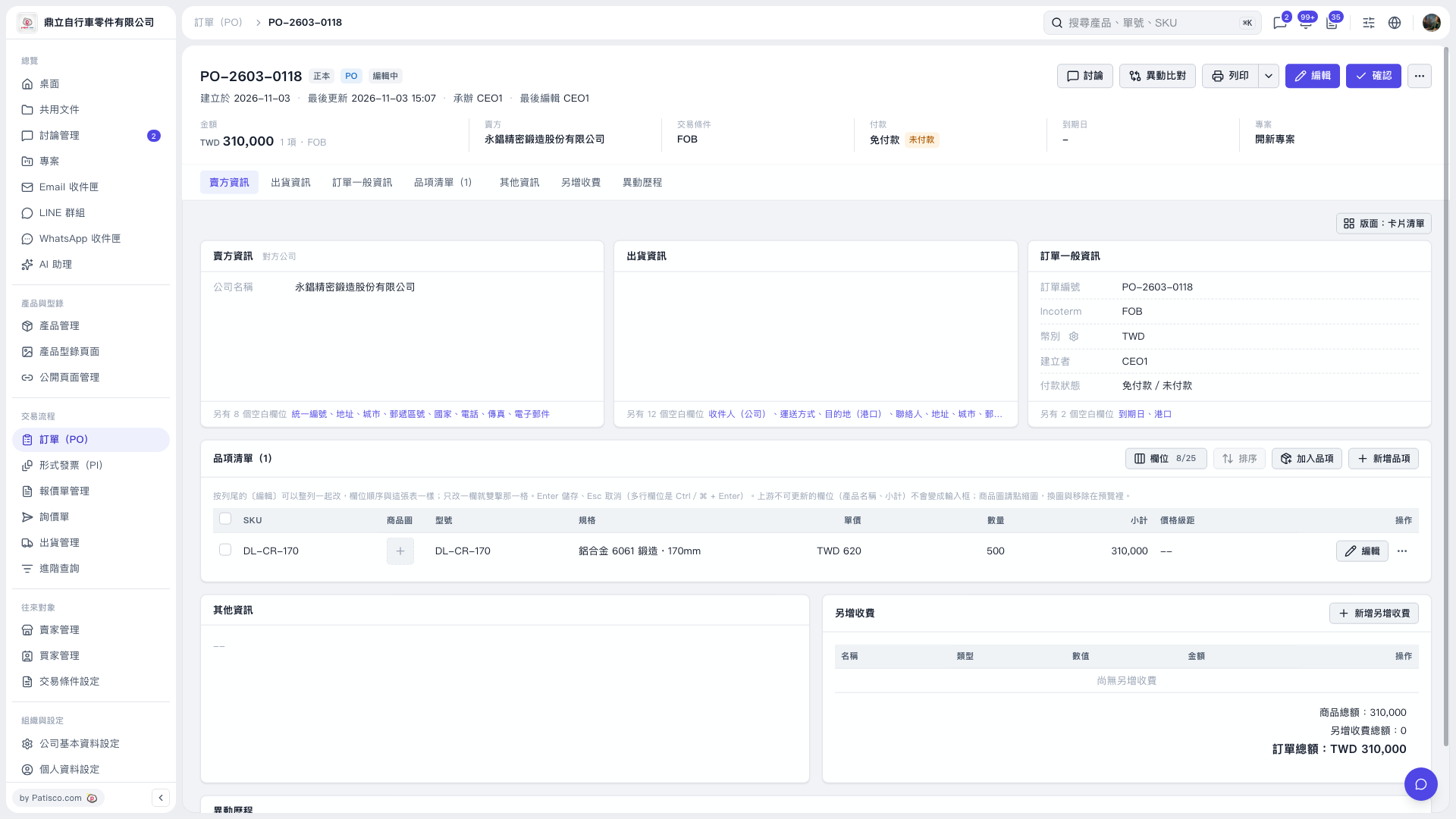 V5 新桌面版|訂單詳情 PO–2603–0118