
1. On the PO details page, check the PO number, amount, seller, trading conditions, and payment status at the top of the page. 2. To edit the PO information, click “Edit” in the upper-right corner. To edit a line item, click “Edit” on the right side of its row in “Item list”. 3. To add products, click “Add item” to add existing items, or click “New item” to create a new PO line item. 4. Review the contents. You can click “Diff view” in the upper-right corner to check changes to the information. Once confirmed, click “Submit”.
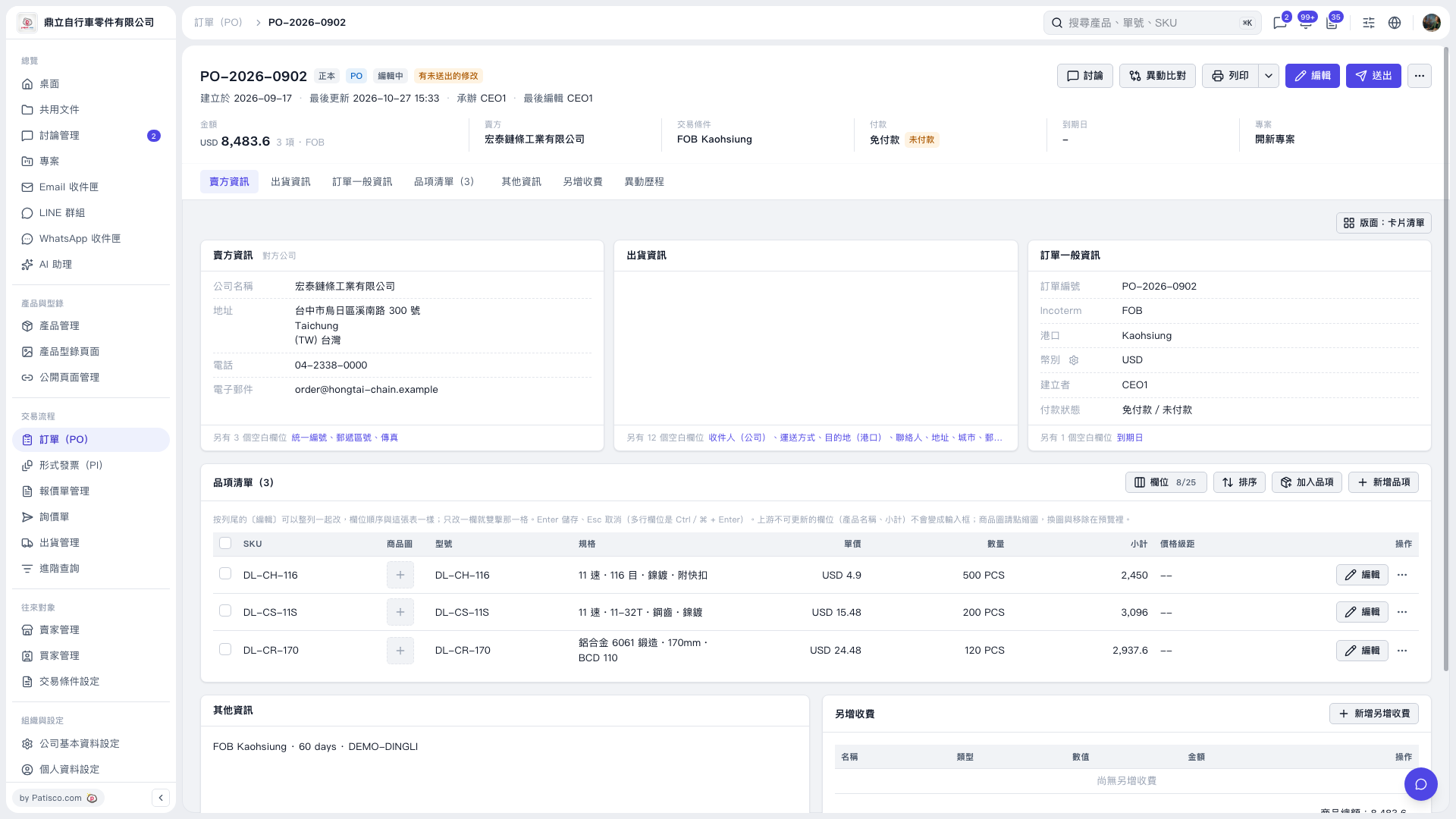 V5 新桌面版|PO–2026–0902