
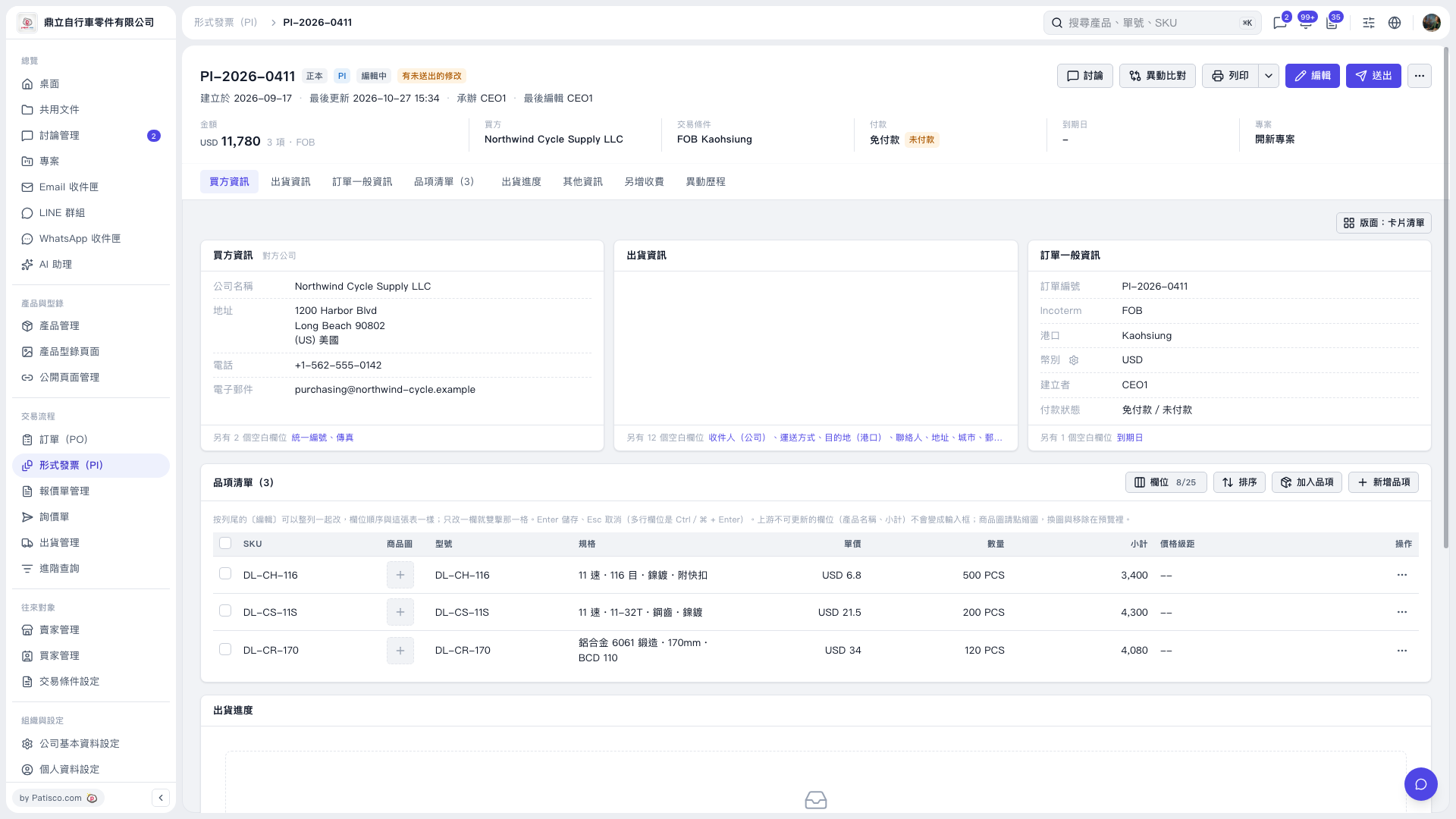
1. On the Proforma Invoice details page, first check the Proforma Invoice number, buyer, total amount, and trading conditions at the top of the page. 2. Click “Edit” in the upper-right corner to edit the buyer information, shipping information, or general PO information. 3. Go to “Item list (3)” to check the product specifications, unit prices, and quantities. To add products, click “Add item”. To create a new line item, click “New item”. 4. To view the differences after editing, click “Diff view” in the upper-right corner. 5. After confirming the contents, click “Submit” in the upper-right corner.
 V5 新桌面版|PI–2026–0411