
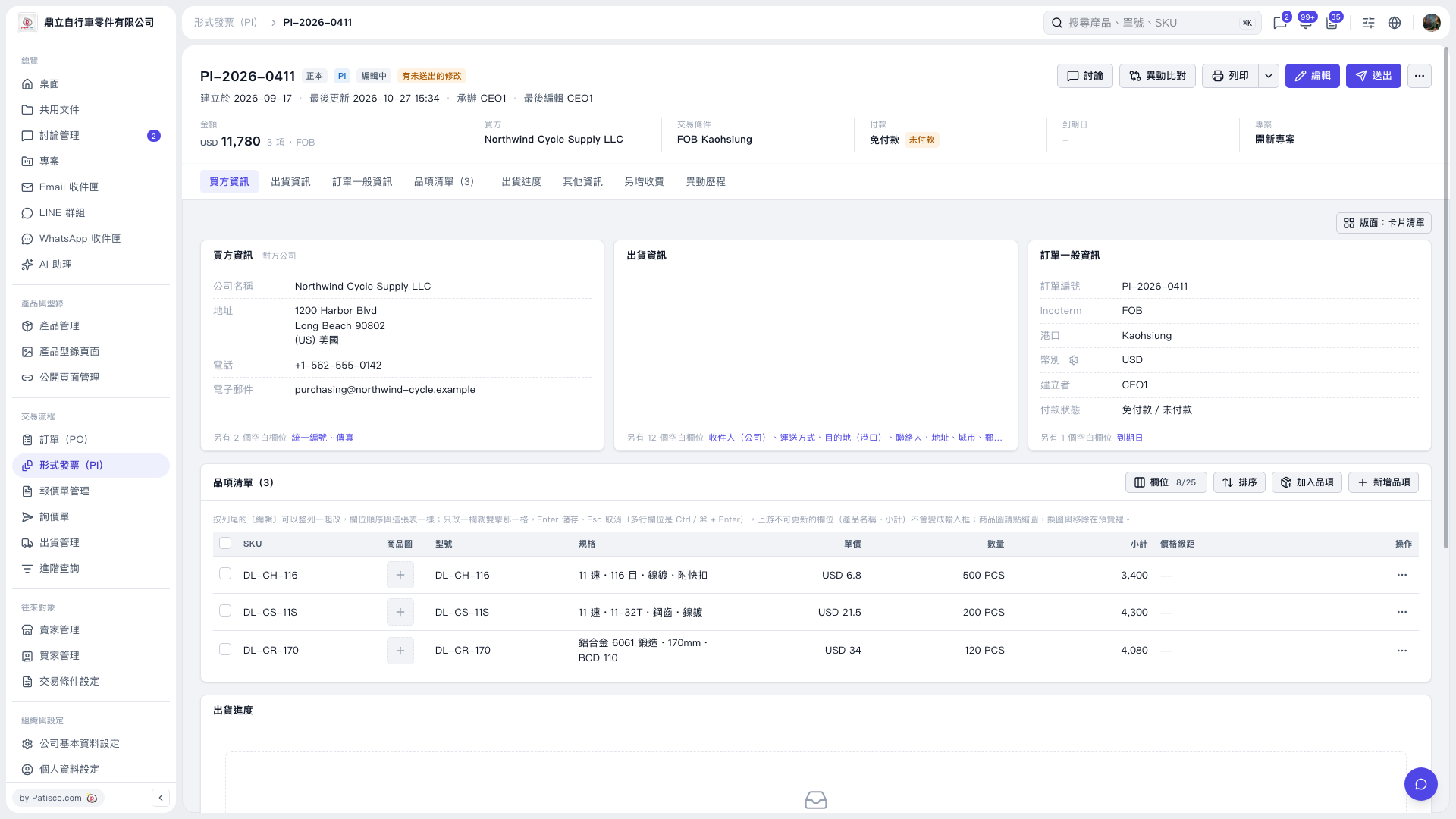
1. Open the Proforma Invoice you want to check and confirm its title, such as “Proforma Invoice PI–2026–0411.” 2. Check the “Payment” summary at the top or “Payment Status” in the “General Order Information” card on the right. The current screen shows “No Payment Required / Unpaid.” 3. To change payment-related information, click “Edit” in the upper-right corner and use the fields actually displayed. The current screen does not show a payment editing form or an entry point for recording received payments. 4. You can ask AI: “Get the payment collection link.” How AI responds: “Not available (possibly already paid or archived).” These are possible reasons suggested by AI. You still need to verify the actual payment status against the information on the page.
 V5 新桌面版|形式發票 PI–2026–0411