
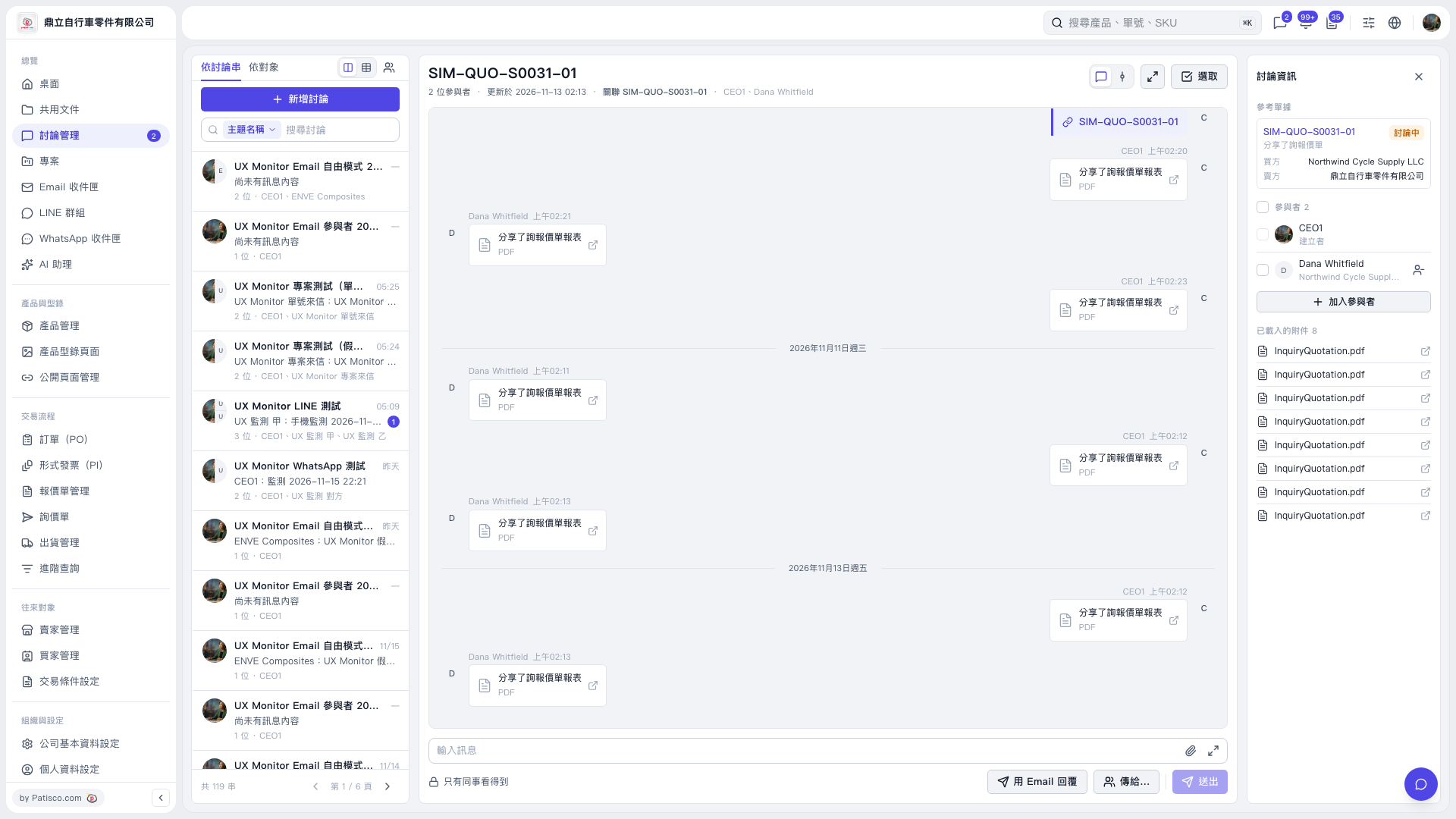
1. Open the thread you want to reply to and check the buyer, seller, and participants under “Discussion information” on the right. 2. Click “Reply by email” below the message input area, then use “Send to…” to select the recipients. 3. Enter your message in “Enter message”. To attach files, click the paperclip icon. 4. Before sending, confirm the recipients and message visibility. The notice for “SIM-QUO-S0031-01” in this instance states that even if the email is sent to third-party@example.invalid, Northwind Cycle Supply LLC, which is in the thread, can also see the email in Patisco. 5. After confirming, click “Send”.
 V5 新桌面版|SIM-QUO-S0031-01