
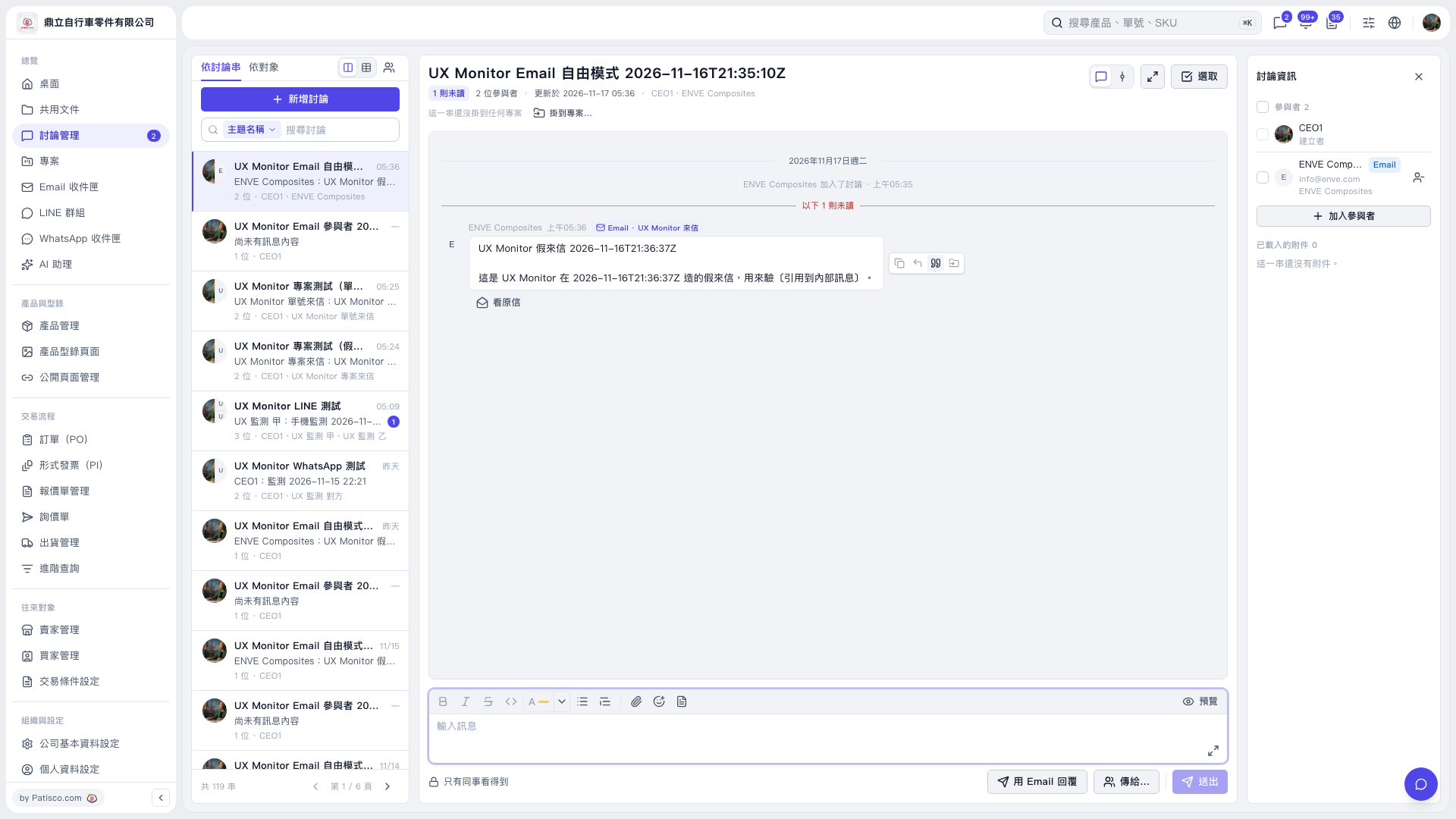
1. Select the email discussion thread you want to work with from the discussion list on the left. 2. Find the email you want to quote and click “Quote” (the double quotation mark icon) in the toolbar on the right side of the message. 3. Check the inserted quote in the “Enter message” editing area at the bottom, then add your explanation for your colleagues. 4. Confirm that “Only visible to colleagues” appears below the editing area. You can click “Preview” to check the content. 5. After confirming everything, click “Send”.
 V5 新桌面版|UX Monitor Email 自由模式 2026-11-16T21:35:10Z