
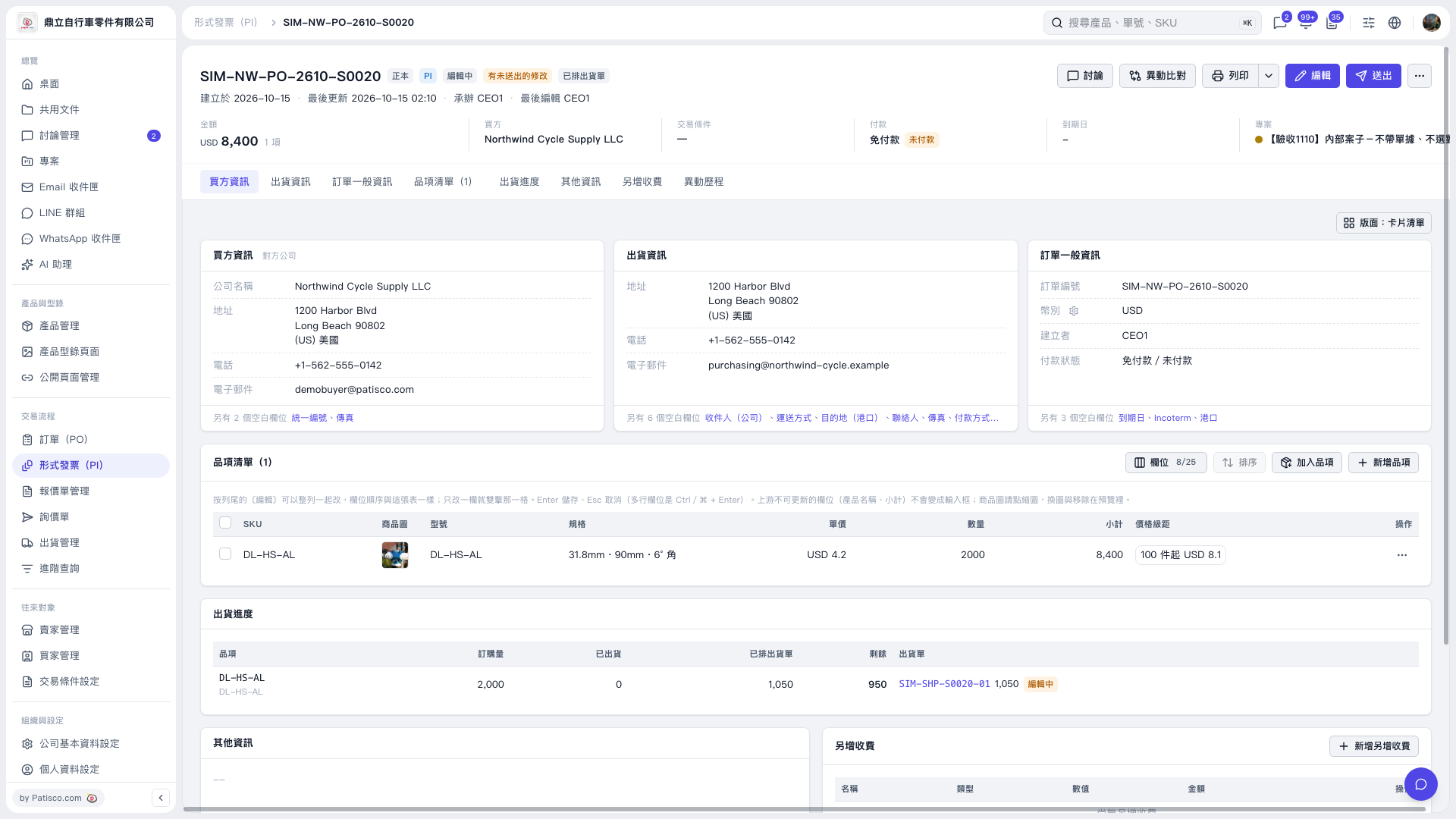
1. Check "Specifications" in the Proforma Invoice's "Item list". If this column is not visible, click "Columns 8/25" to adjust the displayed columns. 2. Check that the specifications are correct. In particular, if the source item's specifications were blank, check whether the product name has been populated instead. 3. If the "Specifications" field supports editing, click it to make changes, then press Enter to save or Esc to cancel. 4. After reviewing the document's contents, click "Send" at the upper right.
 V5 新桌面版|SIM-NW-PO-2610-S0020