
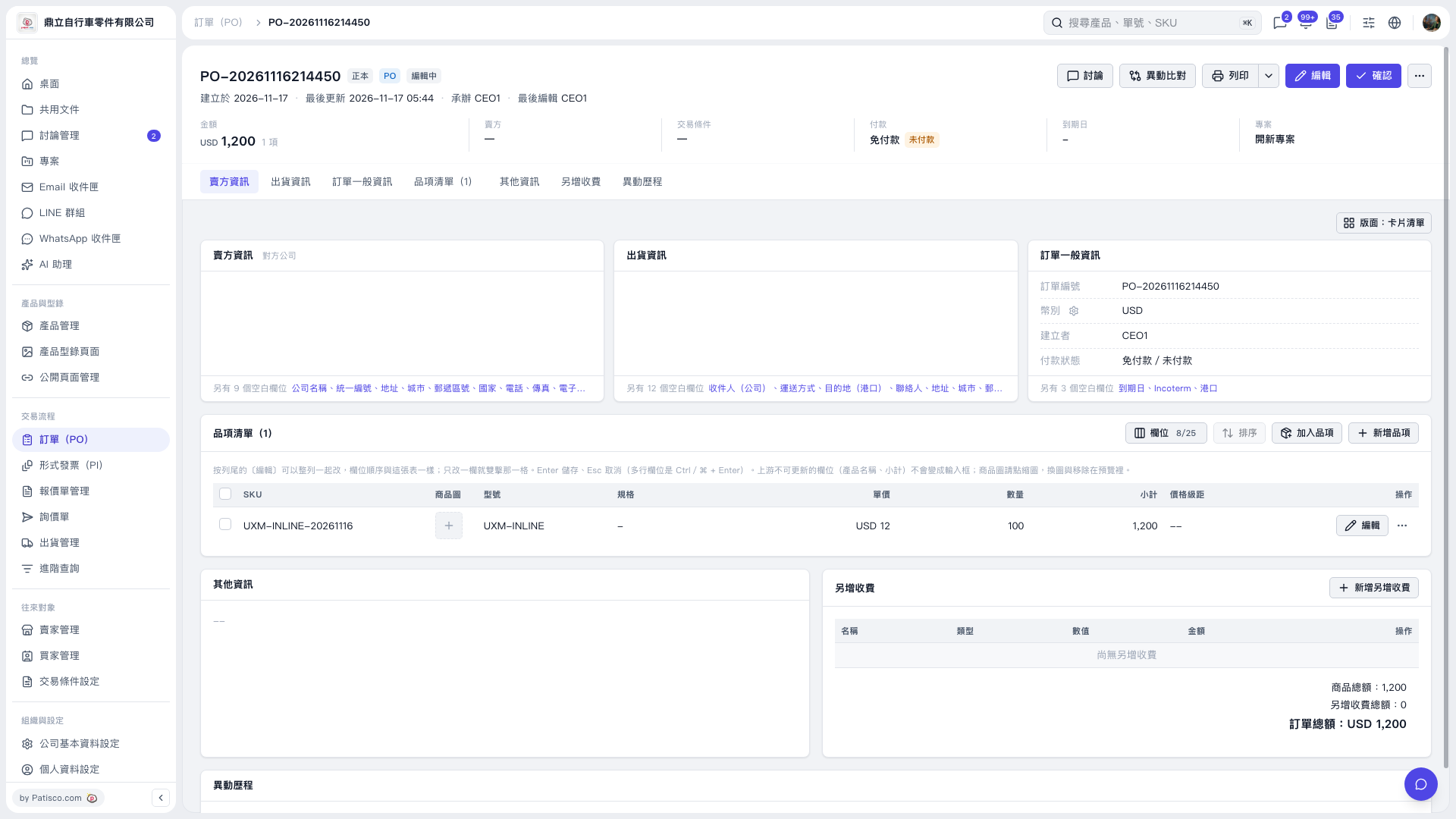
1. In the PO's item list, find the product you want to change and click "Edit" on the right side of that row. 2. Follow the on-screen prompts to change "Unit Price" or "Quantity." Only one field can be in input mode at a time. 3. Press Enter to save or Esc to cancel. The product name and "Subtotal" cannot be edited directly inline. 4. Check the item's "Subtotal" and the PO's "Amount." Once you have verified them, click "Confirm" in the upper-right corner.
 V5 新桌面版|PO-20261116214450