
1. Click “Item List (3)” below the PO summary to view the current PO items. 2. To add an existing item, click “Add Item” at the upper right of the item list. To create and add a new item, click “New Item”. 3. To add an additional charge, go to the “Additional Charges” section and click “Add Additional Charge” at the upper right. 4. Check the items’ unit prices, quantities, and subtotals, the additional charge amounts, and the PO total. After reviewing them, click “Submit” in the upper-right corner of the page.
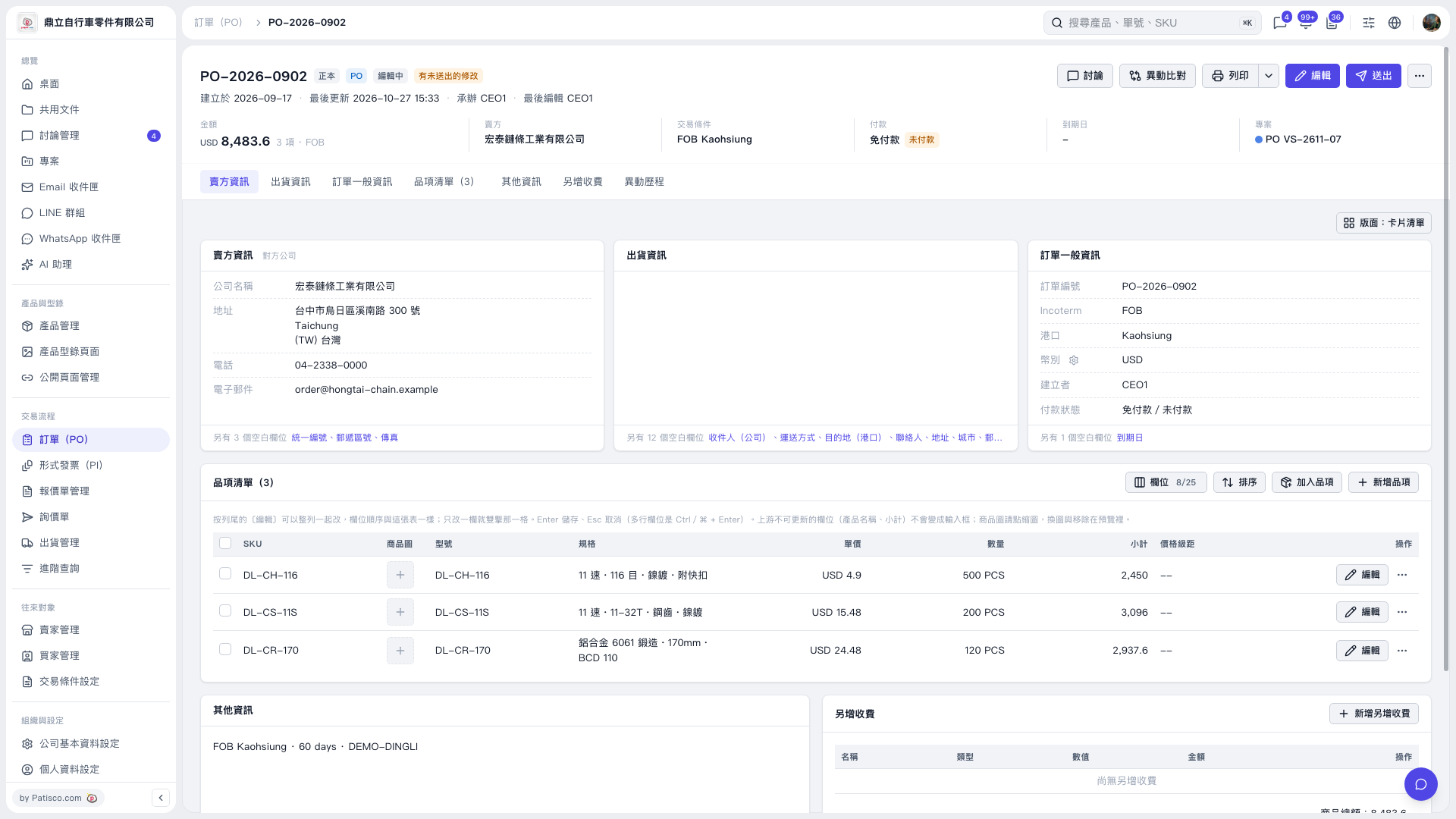 V5 新桌面版|PO–2026–0902