
1. On the Proforma Invoice details page, first check the Proforma Invoice number, buyer, amount, trading conditions, and payment status in the header. 2. Review “Buyer Information”, “Shipping Information”, and “General PO Information”. If changes are needed, click “Edit” in the upper-right corner. 3. Go to “Item List (3)” and check the product specifications, unit prices, quantities, and subtotals. 4. After reviewing the details, click “Submit” in the upper-right corner. The current screen indicates that there are unsubmitted changes. To print, click “Print”.
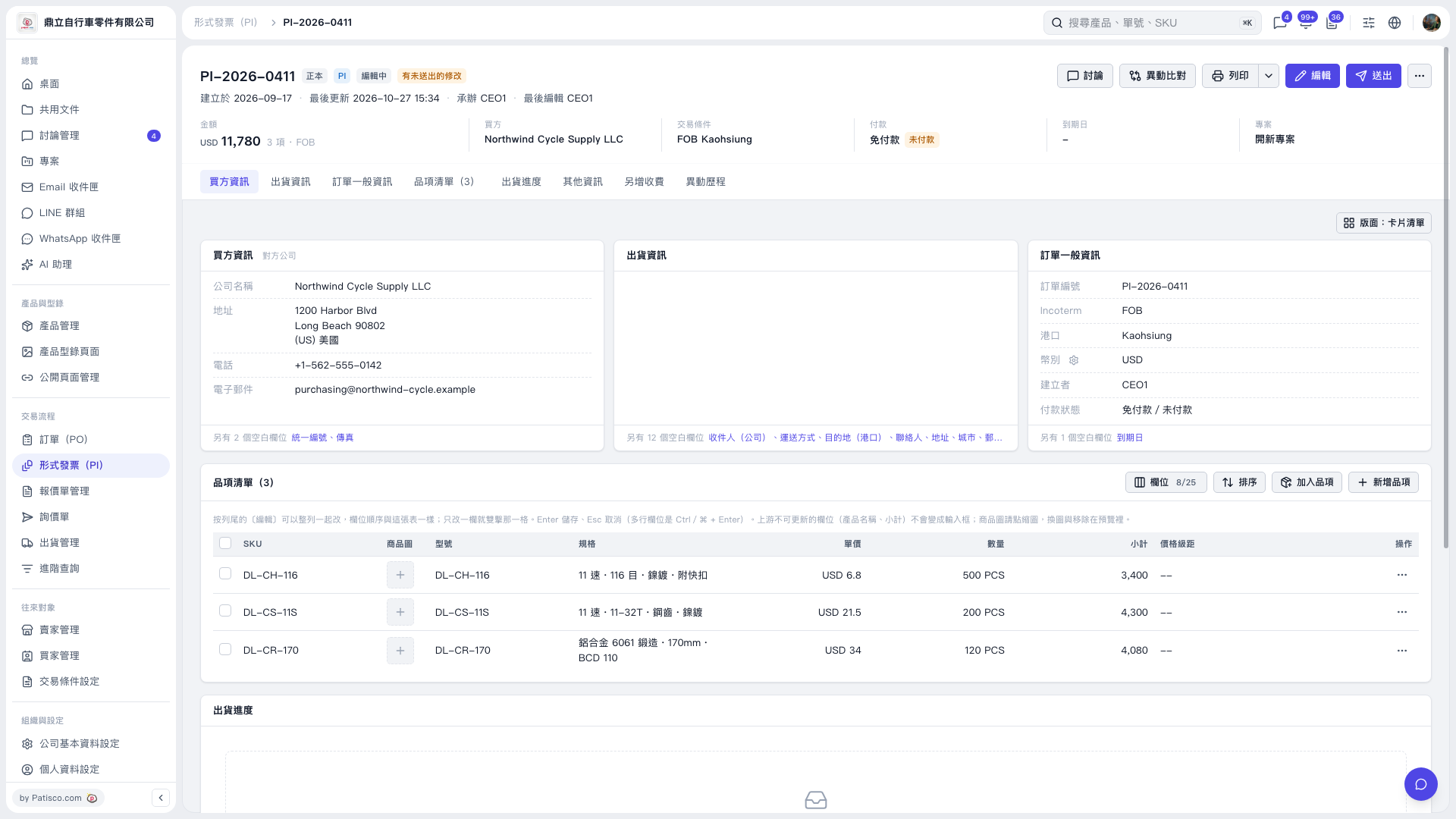 V5 新桌面版|形式發票詳情:PI-2026-0411