
1. Go to “Item List (3)” and click “Add Item” at the upper right to add items to the Proforma Invoice, or click “New Item” to create a new item. 2. Click “Columns 8/25” to select the columns to display. Currently, 8 of the 25 available columns are displayed. 3. Click “Sort” to set the item order. To view the actions available for an individual item, click “⋯” at the far right of its row.
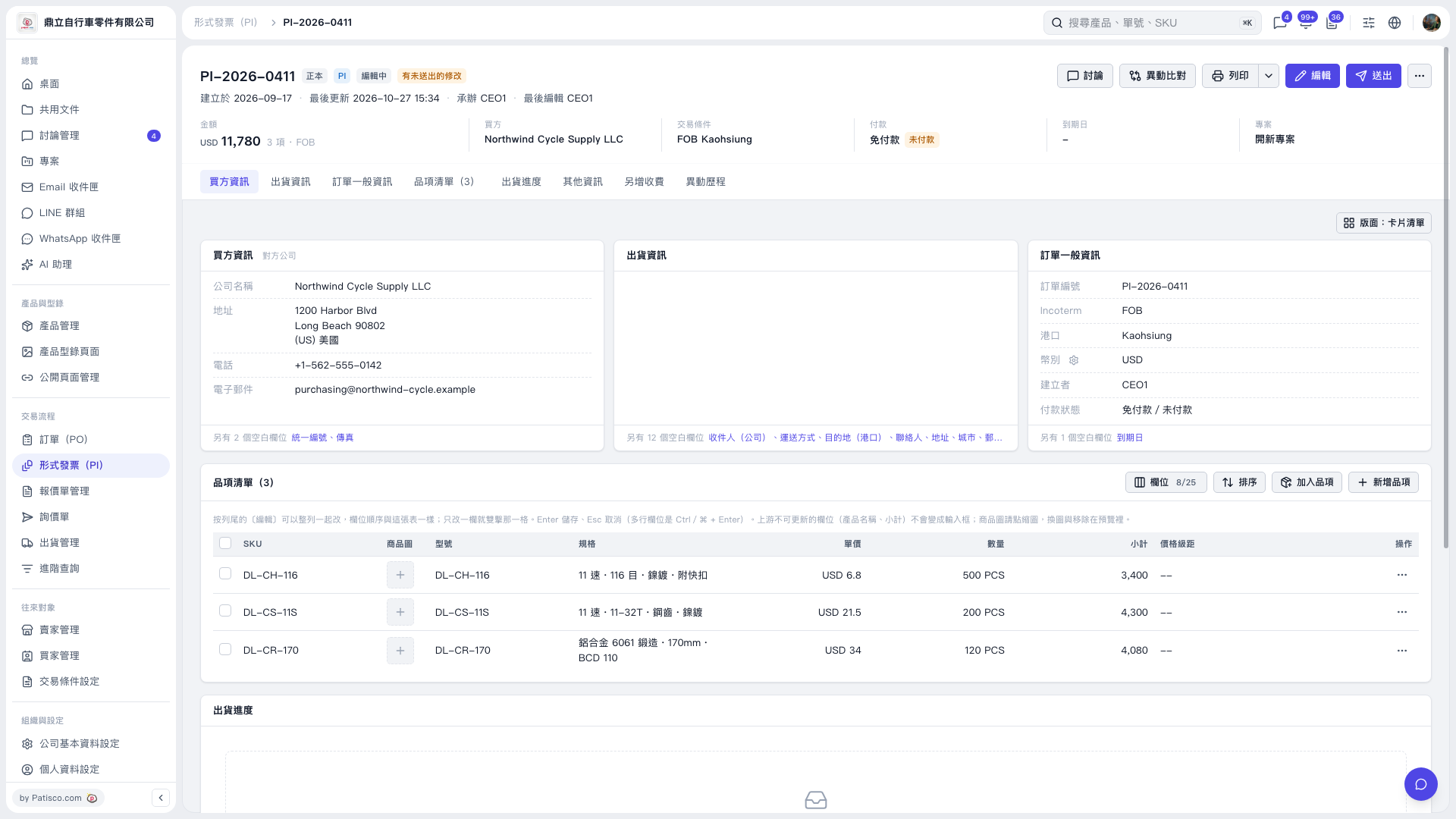 V5 新桌面版|形式發票詳情:PI-2026-0411