
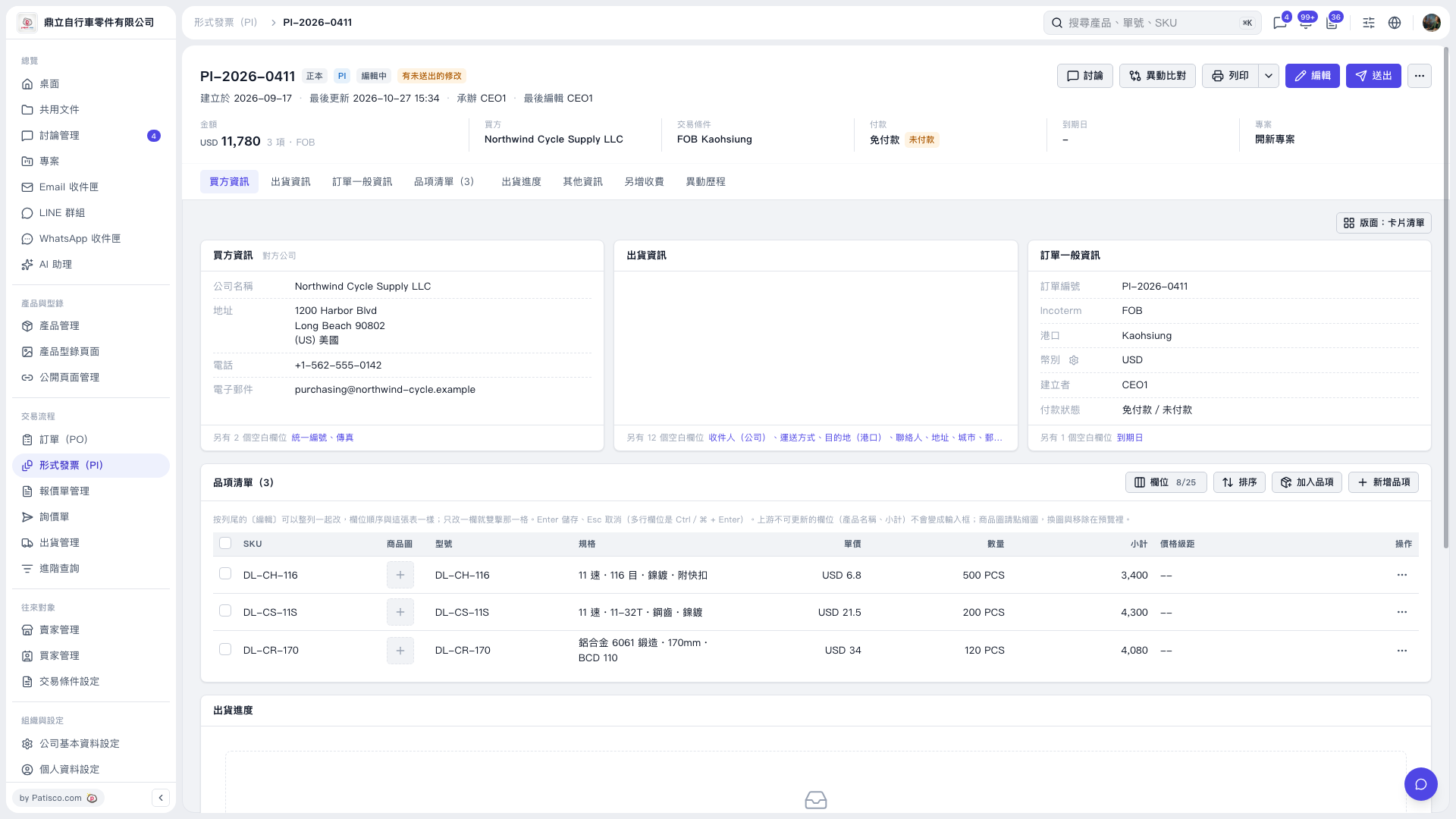
1. Open the Proforma Invoice and first check the invoice number, buyer, and amount. 2. Check the payment status in the “Payment” summary at the top or the “General Order Information” card. This record shows “No Payment Required / Unpaid.” 3. To make changes, click “Edit” in the upper-right corner and check which payment fields can be edited. The current screen does not show where to record a payment. 4. After editing and checking the details, click “Submit” in the upper-right corner.
 V5 新桌面版|PI–2026–0411