
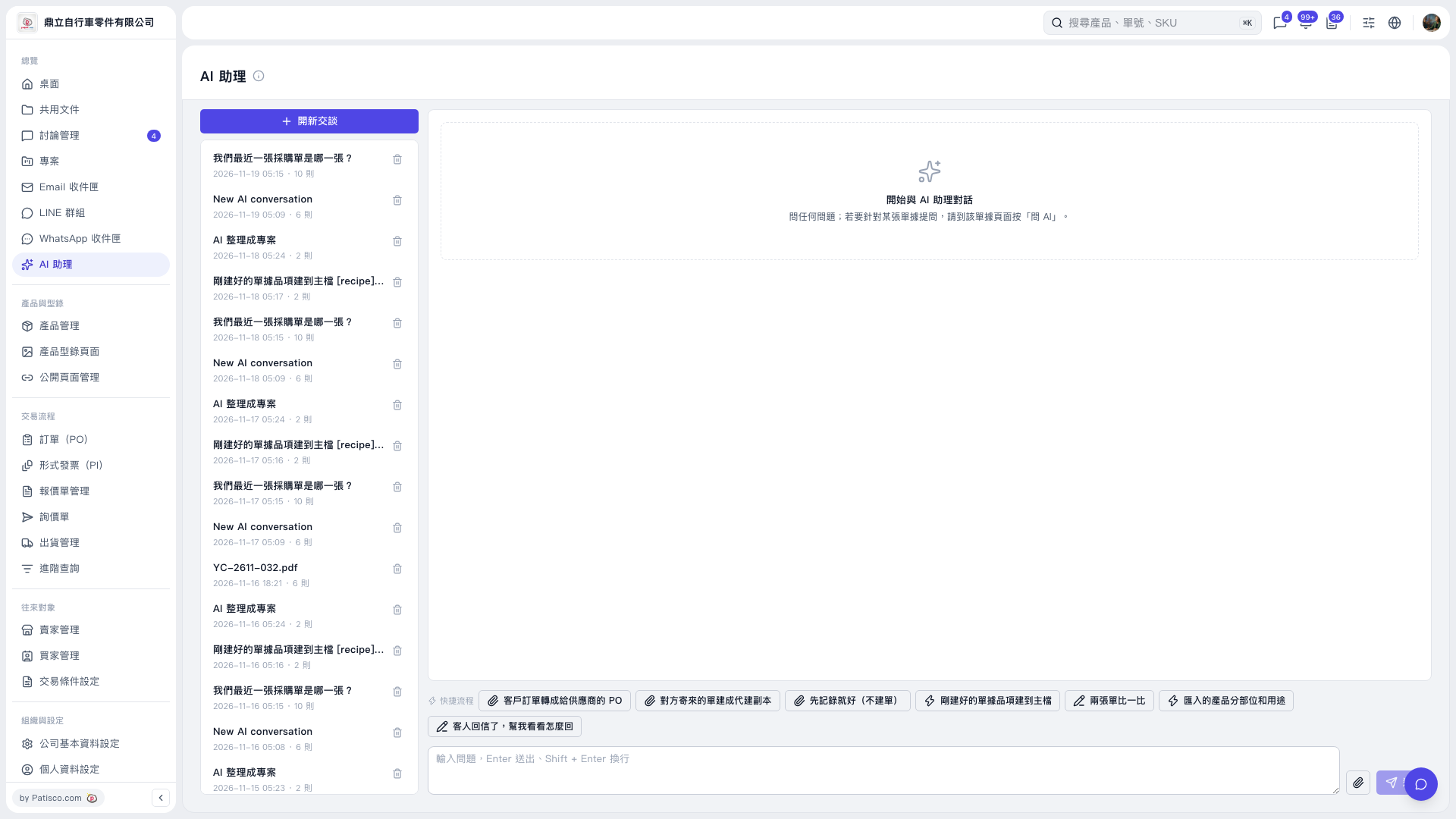
1. Click “New Conversation,” or select an existing conversation on the left. 2. Click a workflow shortcut at the bottom of the conversation area as needed, such as “Convert a Customer PO into a PO for the Supplier,” “Compare Two Documents,” or “The Customer Replied—Help Me Work Out a Response.” If you only want to record information, select “Just Record It for Now (Do Not Create a Document).” 3. Add details about your request in the message input box. To provide a document, click the paperclip icon to attach a file. 4. Press Enter or click the paper airplane icon to send.
 V5 新桌面版|AI 助理