
1. Expand “Banner” under “Catalog Settings” on the left. 2. Find the image you want to adjust and click “Animation Settings” on its right to open its settings. Adjust “Image Animation Direction”, “Slideshow Interval”, and “Image Focal Point”. The settings dialog is not shown on the current screen, so refer to the dialog after opening it for the detailed options. 3. Check the banner’s appearance in the preview on the right. 4. When you finish making changes, click “Upload Changes” so buyers and visitors can see the updated content.
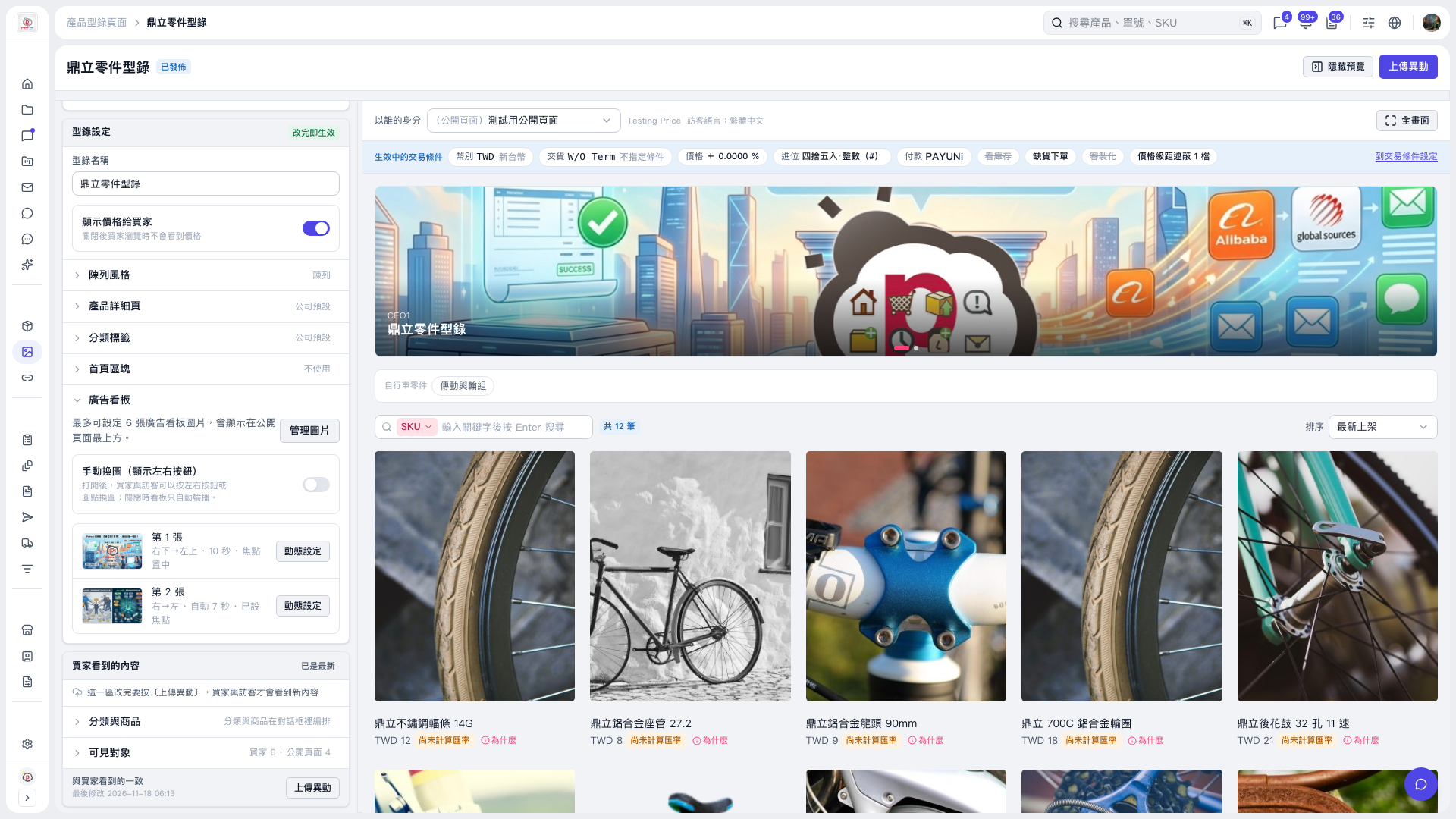 V5 新桌面版|鼎立零件型錄