
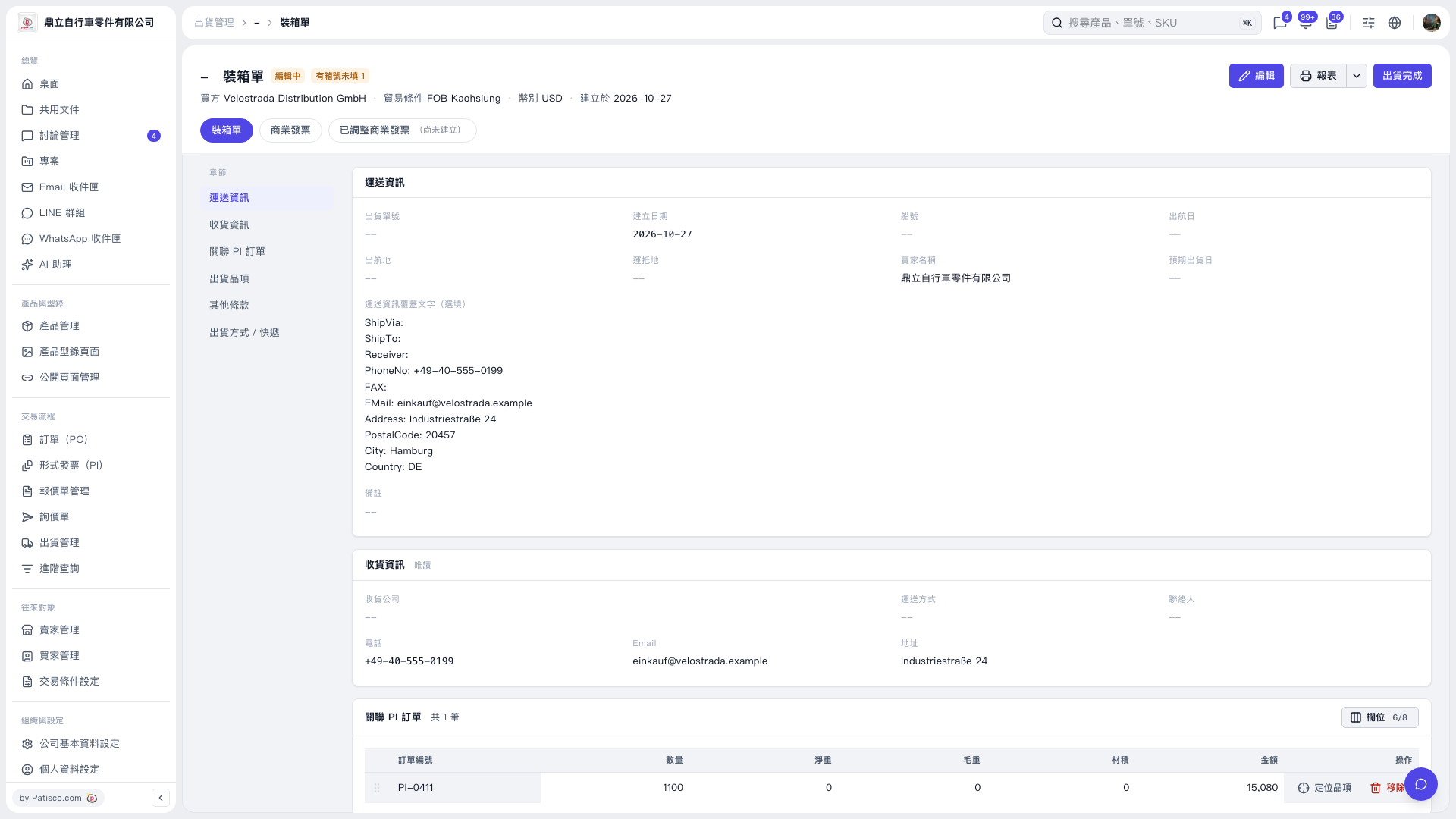
1. On the packing list page, confirm the buyer, trading terms, currency, and linked PI PO. 2. Click “Edit” in the upper-right corner, go to the “Shipment Items” section, and check for and fill in any missing carton numbers. The carton number field is not visible in the current screenshot, so you need to open the edit screen to check it. 3. Check the shipping information and other shipment details, then finish editing and save. 4. To view reports, click “Reports” in the upper-right corner. After confirming that the information is complete and the shipment process is finished, click “Complete Shipment”.
 V5 新桌面版|裝箱單