
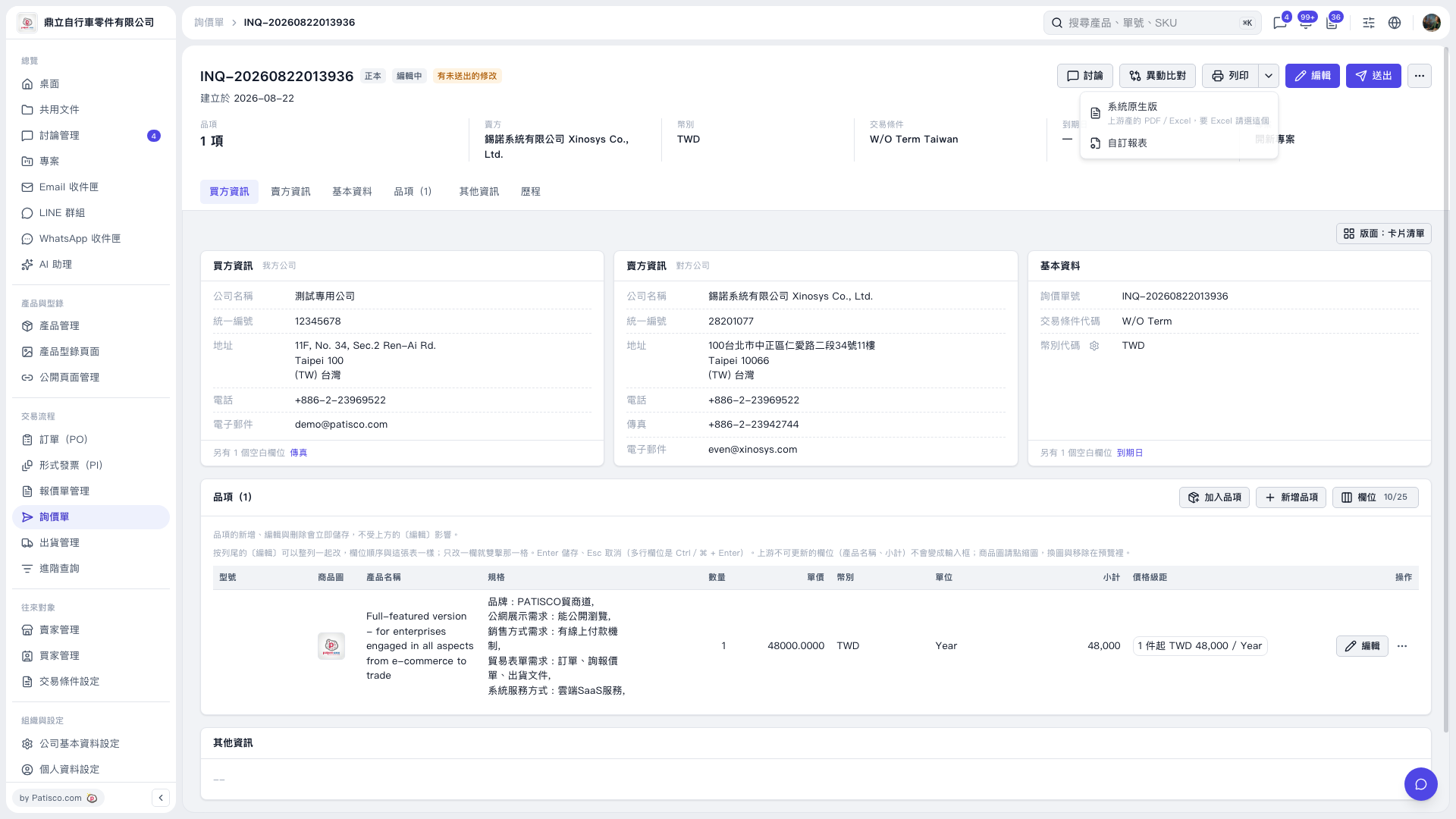
1. On the inquiry page, first confirm the inquiry number, buyer and seller information, and line item details. 2. Click the dropdown arrow next to “Print” at the top right to open the print menu. 3. Click “System Default” to use the system’s built-in report or open a PDF or Excel file generated upstream. Click “Custom Report” to use a custom format. 4. Complete the operation using the report or print screen that appears next.
 V5 新桌面版|INQ-20260822013936