
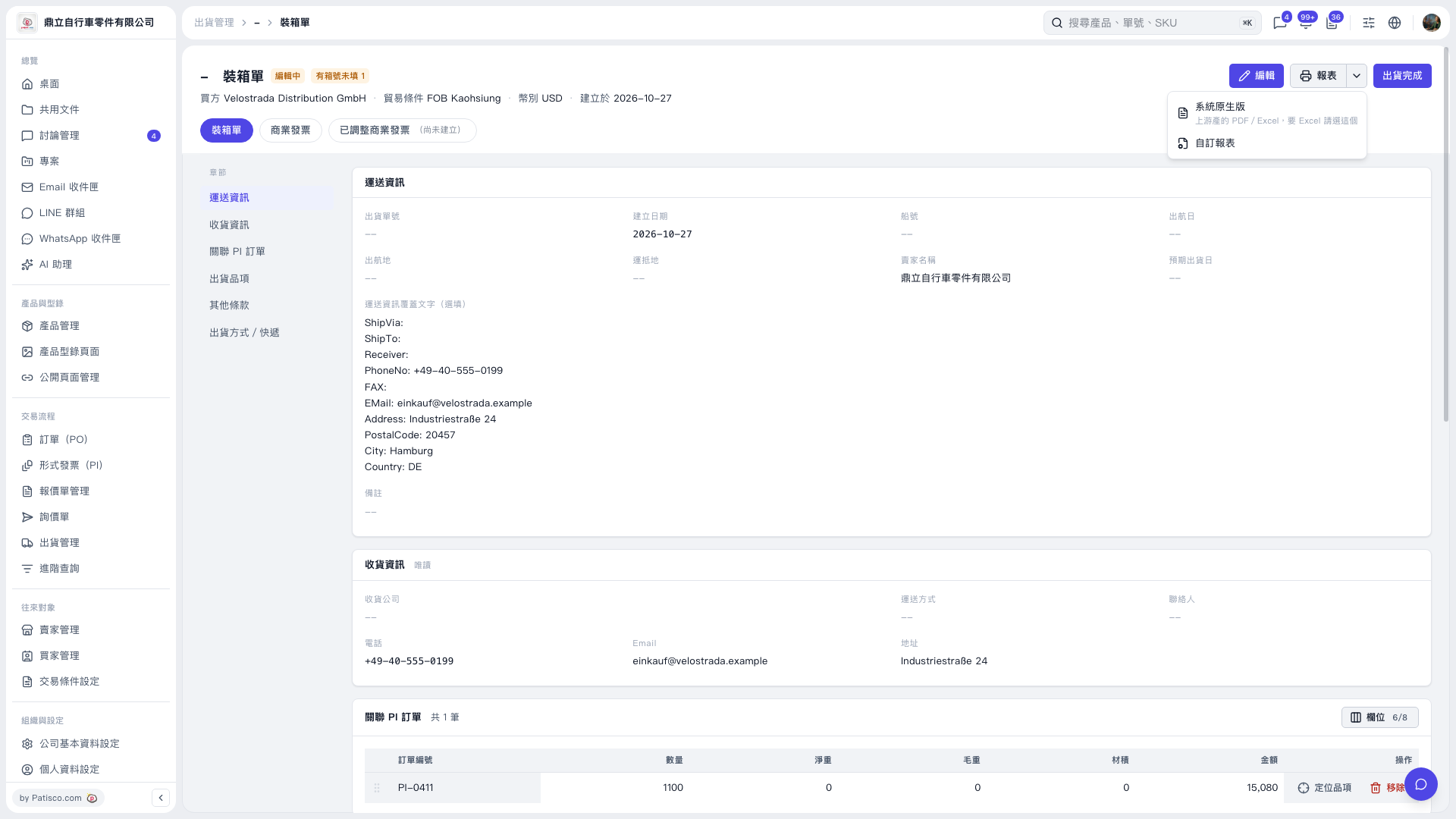
1. On the “Packing List” page, verify the buyer, trade terms, currency, shipping information, and linked PI orders. 2. If information needs to be completed, click “Edit” at the top right. The current page indicates that some carton numbers are missing; check this first. 3. Click the dropdown arrow next to “Reports” at the top right and select “System Default”. Select “Custom Report” if you need a custom format. 4. Open the generated packing list report, then print it.
 V5 新桌面版|裝箱單