
1. Under "Organization & Settings" on the left, select "Profile Settings". 2. Find "Connect Mailbox" in the "My Mailboxes" section and click "Connect Microsoft Mailbox" to start the authorization and connection process. The current screen does not yet show the subsequent authorization steps. 3. Once connected, you can view the mailbox information, "Sync Status", and "Last Synced" time under "Connected Mailboxes".
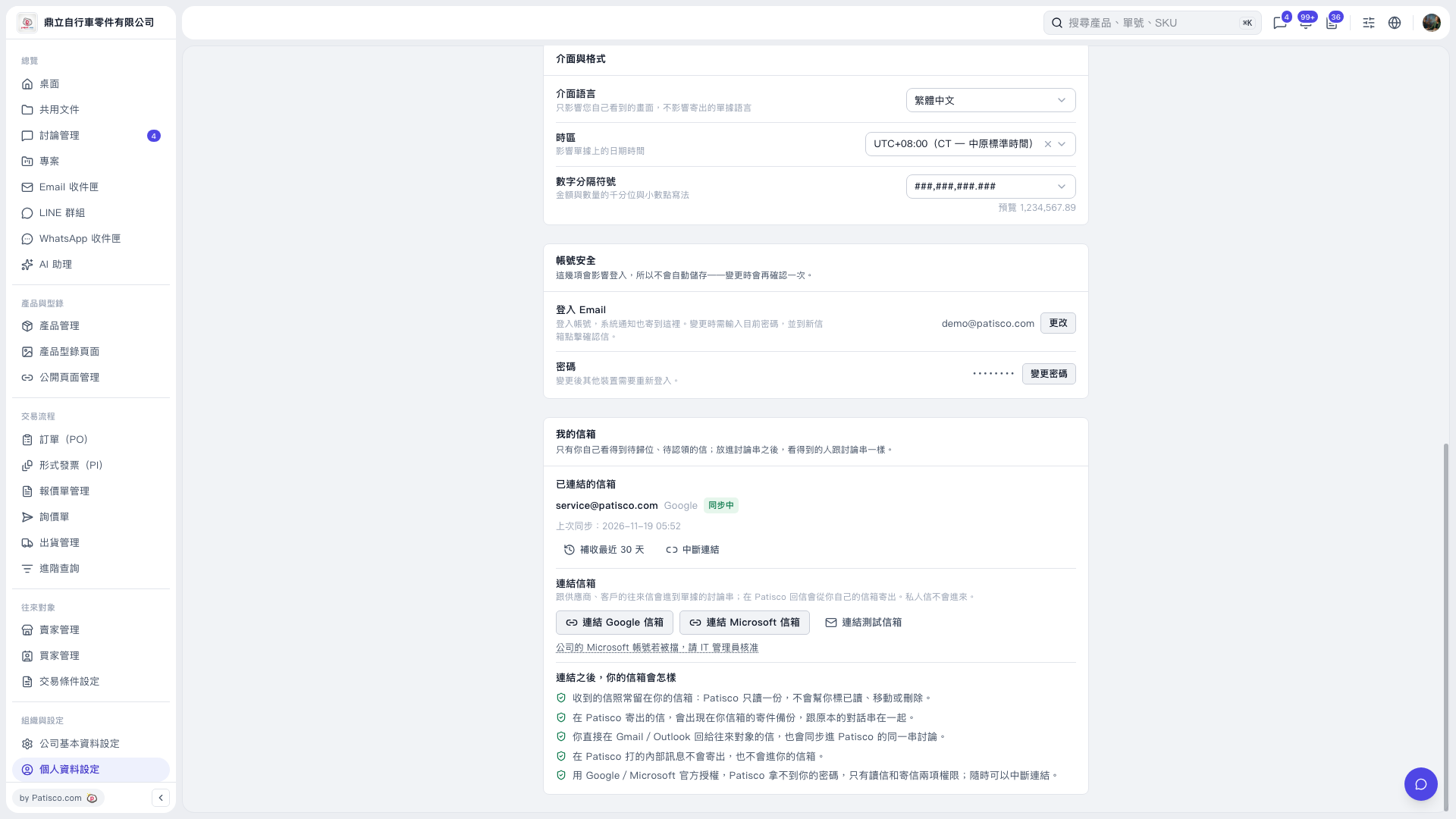 V5 新桌面版|個人資料設定