
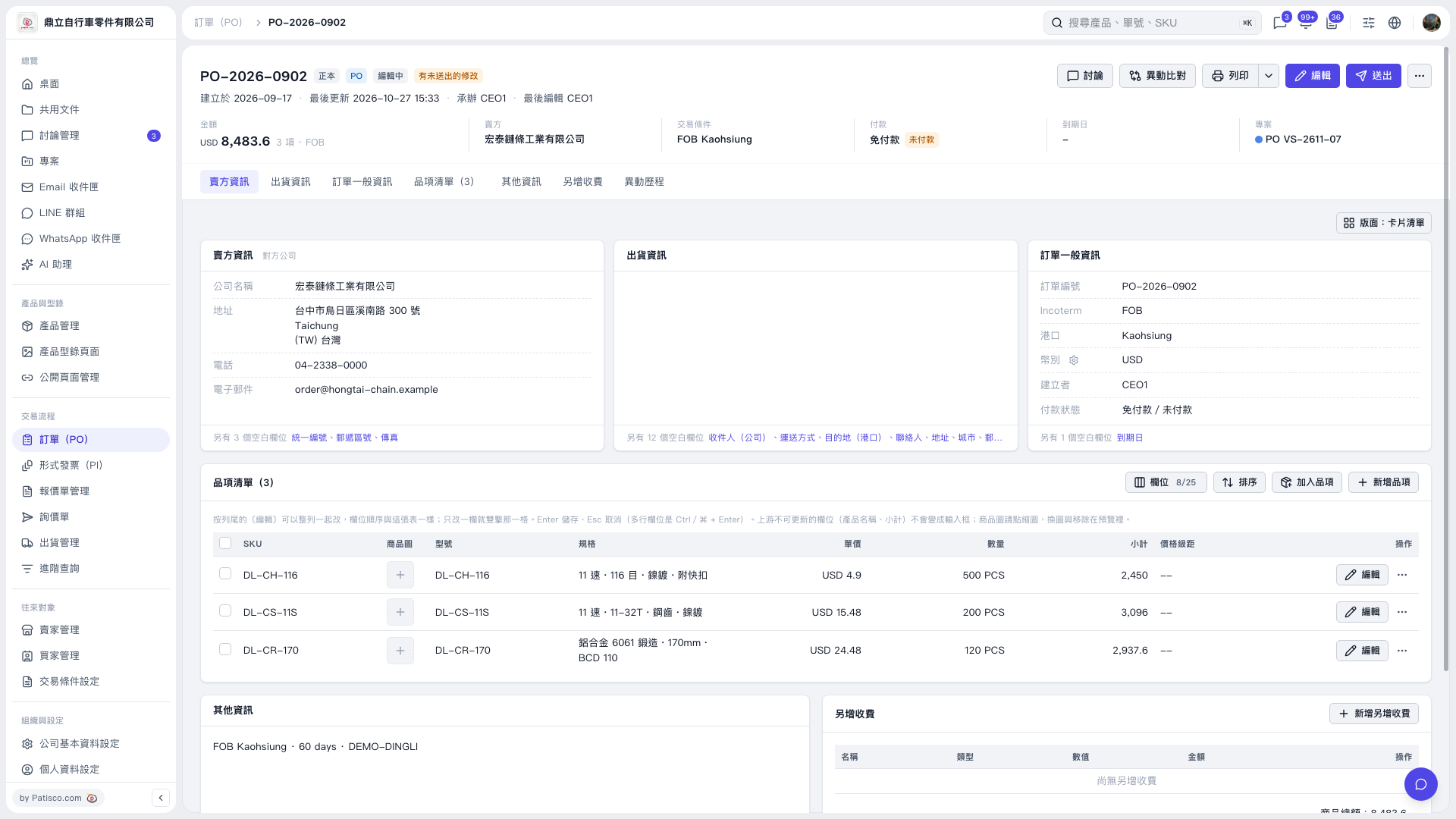
1. Open the PO and check the PO number, seller, amount, trading conditions, and payment status at the top. 2. Click “Edit” in the upper-right corner to edit the PO details. Use “Seller Information”, “Shipping Information”, and “General PO Information” to view the corresponding sections. 3. In “Item List (3)”, click “Edit” on the right side of each row to edit an item. To add items, click “Add Items” or “New Item”. You can also double-click fields that support inline editing, then press Enter to save or Esc to cancel. 4. To add extra charges, go to the “Additional Charges” section and click “Add Additional Charge”. 5. Review the changes. If needed, click “Diff View” in the upper-right corner. After confirming the changes, click “Submit”.
 V5 新桌面版|PO–2026–0902