
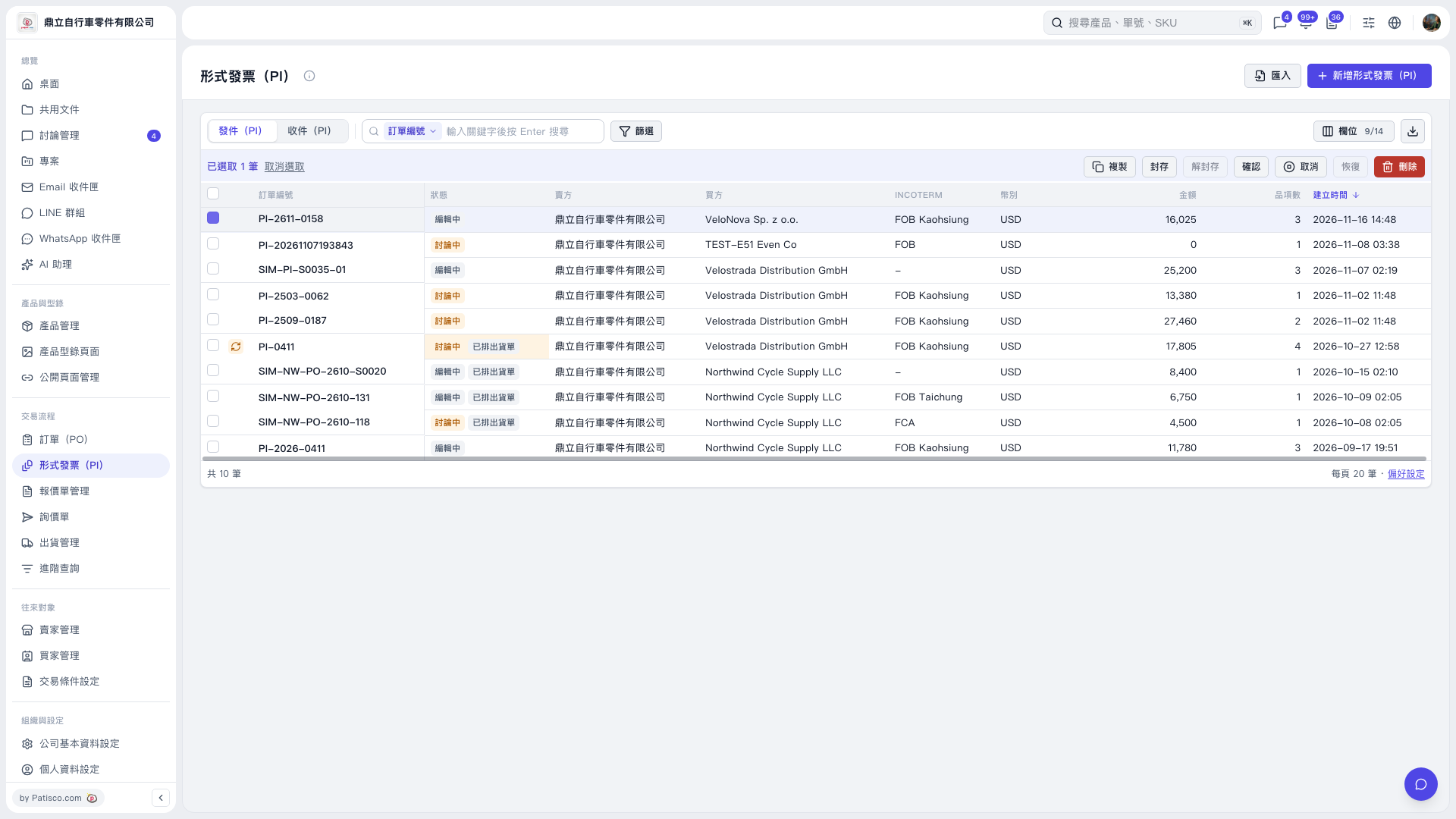
1. On the “Proforma Invoice (PI)” page, switch to “Sent (PI)” or “Received (PI)”. 2. Click “Filter” and first filter for POs with the “Canceled” status. The “Restore” hint says, “Please filter for ‘Canceled’ POs before restoring.” 3. Select the records you want to restore and confirm the number selected above the list. 4. Check whether “Restore” in the bulk action bar is enabled, then click “Restore” to restore the selected records in bulk. In the current screen, “Restore” is grayed out and cannot be clicked.
 V5 新桌面版|形式發票(PI)