
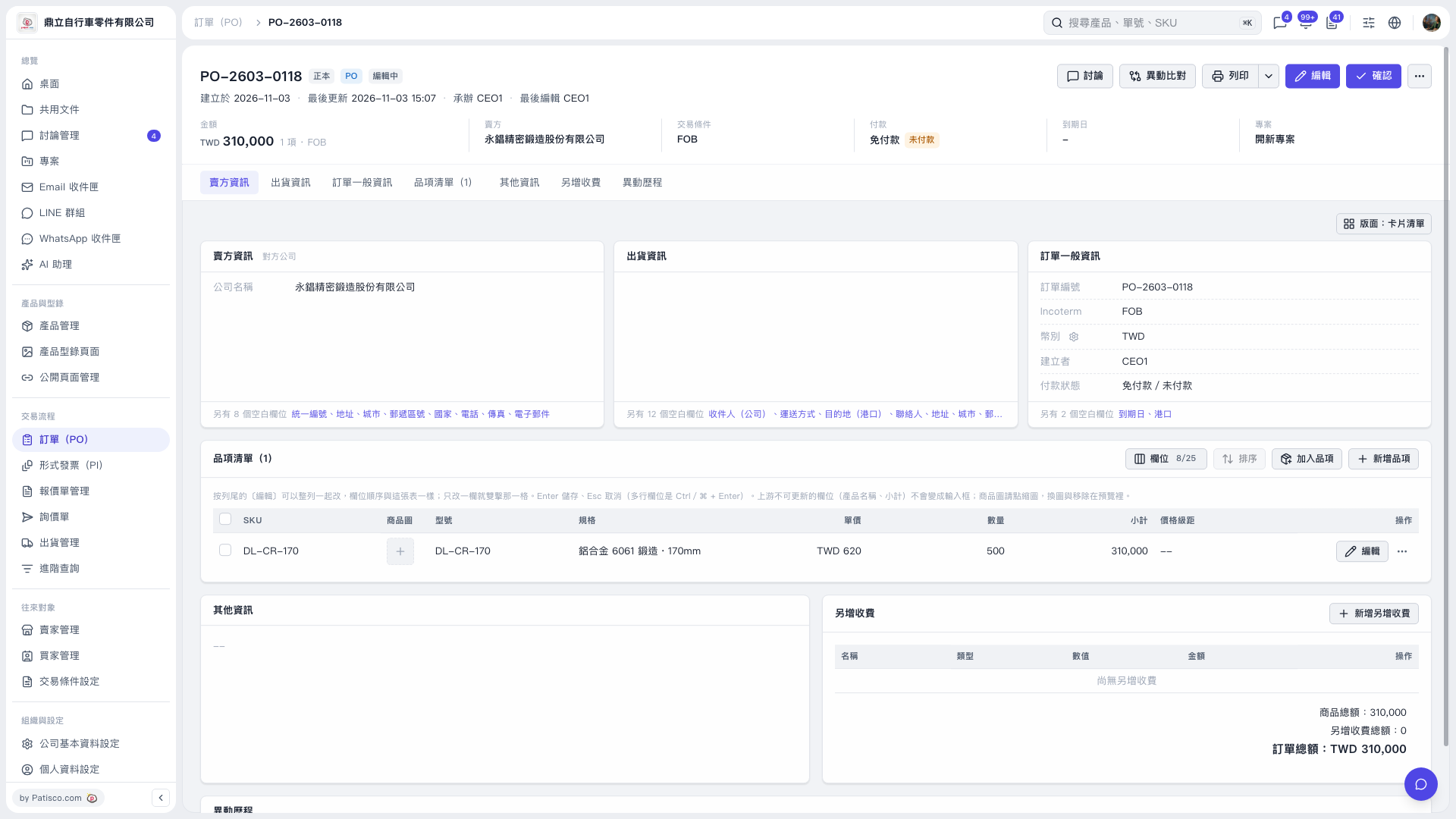
1. In "Item list", click "Add item" to add an existing item. To create a new item, click "Create new item". 2. To edit an existing item, click "Edit" on the right side of its row. After editing the fields, press Enter to save or Esc to cancel. 3. To add charges, click "Add additional charge" and enter the details. 4. Check the item subtotal, total additional charges, and PO total, then click "Confirm" at the top right when finished.
 V5 新桌面版|訂單 PO-2603-0118