
1. At the upper left of the "Shipping Management" list, click "Status: Editing" and select the status of the shipment you want to find. 2. In "Shipment Number / Enter Keywords to Search," select a search field and enter a keyword. You can also click [Filter] to set conditions. 3. Check the "Shipment Number," "Buyer," and "Trade Terms" of the target shipment. 4. Click [UPS Shipping] on the right of that row to start arranging UPS shipping. For other actions, click [⋯] at the far right.
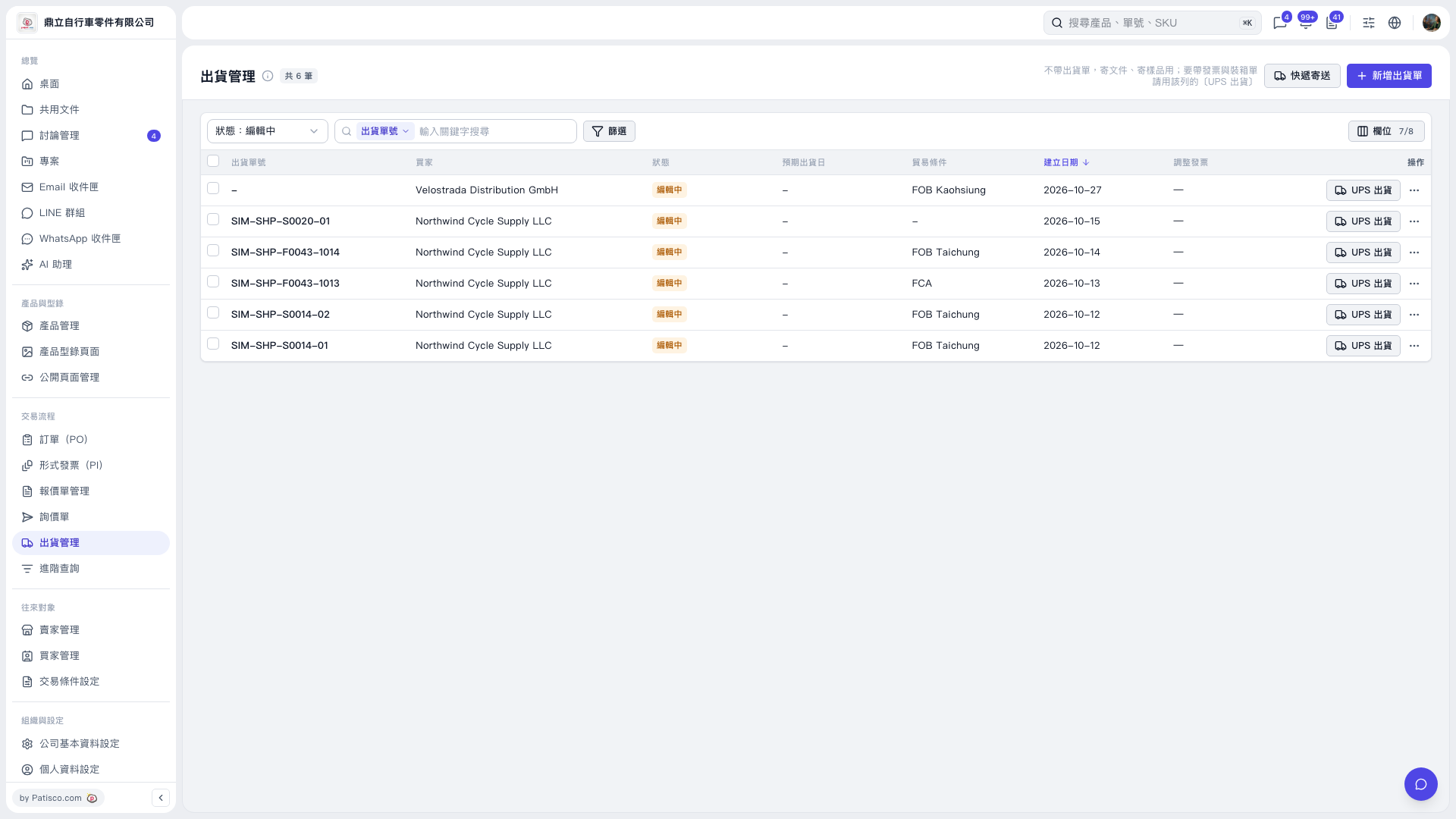 V5 新桌面版|出貨管理