
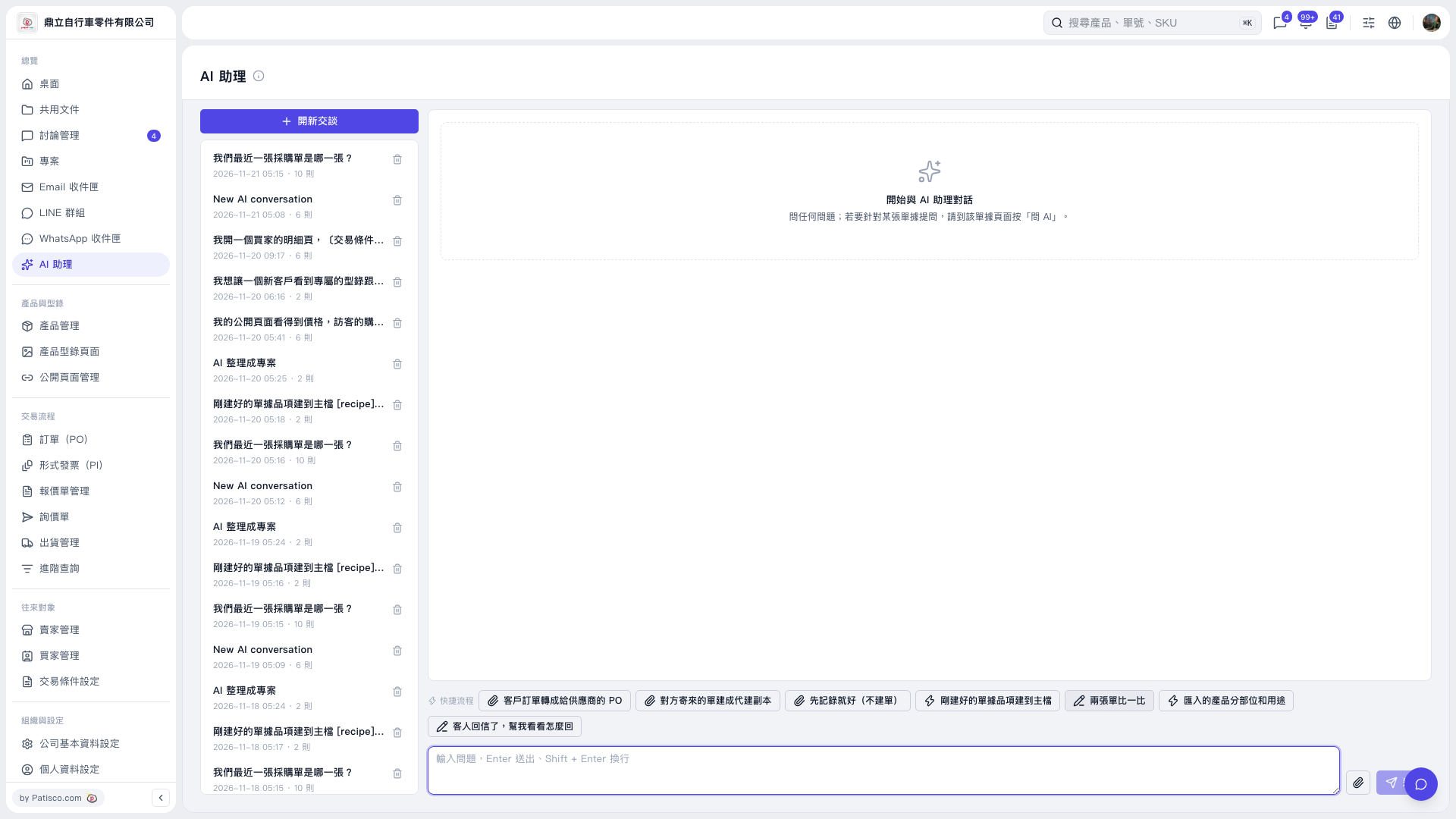
1. On the “AI assistant” page, click “New Conversation”. 2. Click “Compare Two Documents” above the input box. 3. Follow the prompts to provide information about the two documents you want to compare. To attach files, click the attachment icon. 4. Add your comparison requirements in the question input box, then press Enter or click the paper airplane button to send. Use Shift + Enter to insert a line break. Entering text without sending it will not start the comparison. 5. To view a previous conversation, click its title in the conversation history on the left.
 V5 新桌面版|AI 助理