
1. In the dashboard’s Documents Requiring Attention section, review overdue documents and documents that require syncing. Identify the items that need attention by Document Number, Trading Partner, Due Date, and Document Status. 2. Click List or Timeline to change how the documents are displayed. 3. Click Refresh to get the latest data on documents requiring attention. 4. To view the full PO list, click All POs in the Recently Updated POs section.
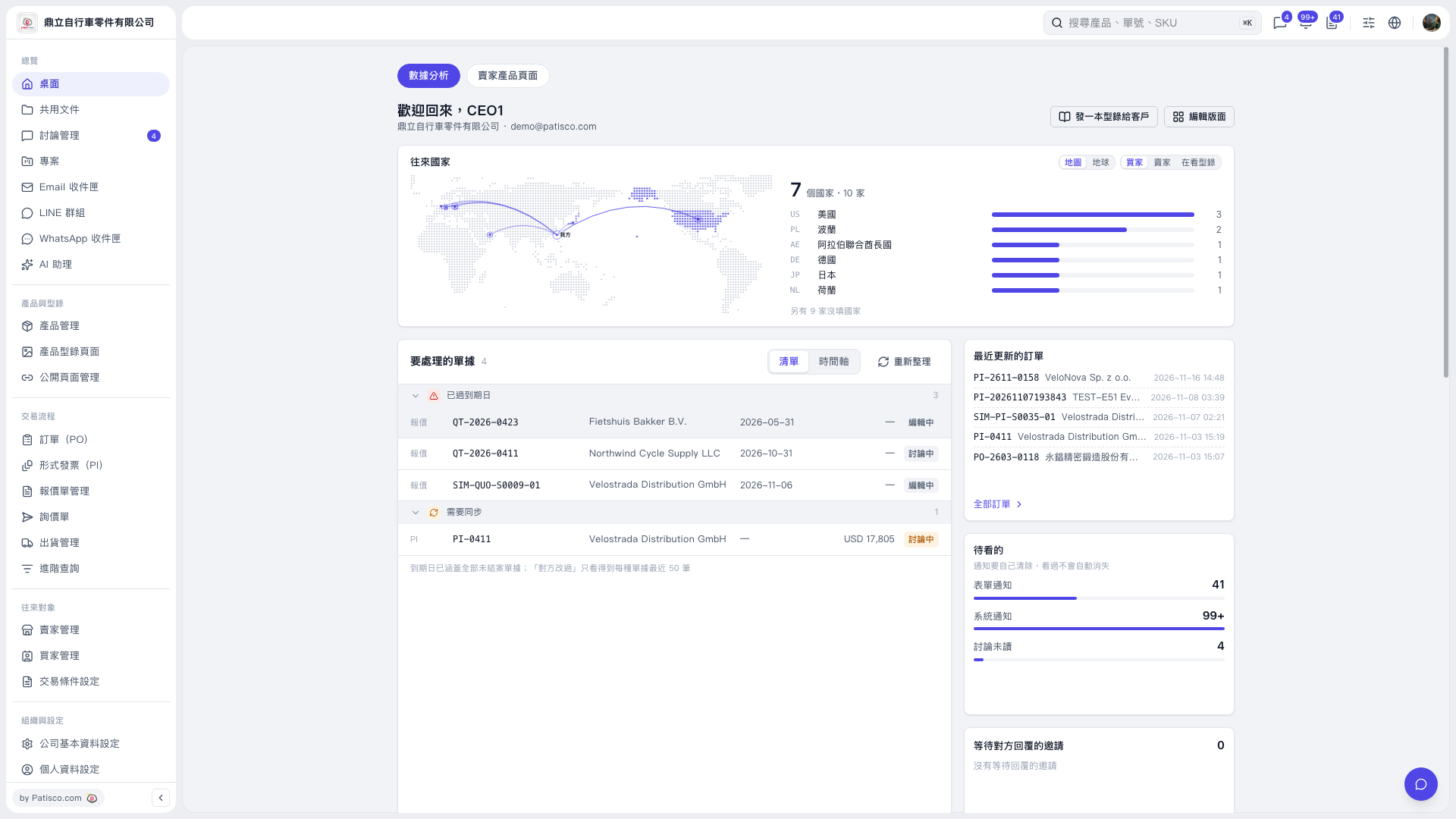 V5 新桌面版|桌面(數據分析)