
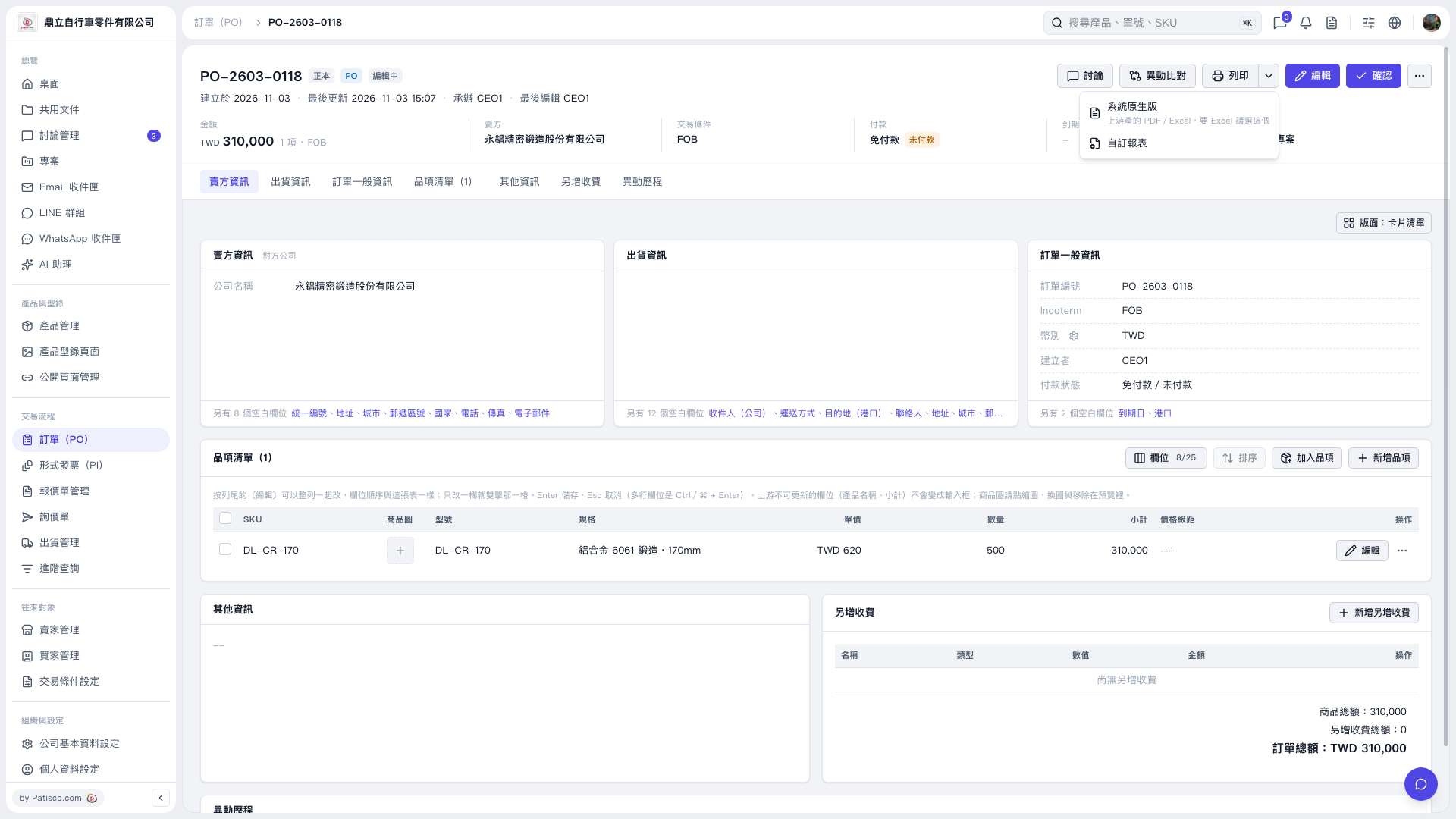
1. Open the PO you want to print and check the order number, items, and order total. 2. Click the drop-down arrow next to [Print] in the upper right to open the print menu. 3. Select [System Default] to use the system's built-in format. Also select this option if you need PDF or Excel. 4. Select [Custom Report] to use a custom format.
 V5 新桌面版|PO-2603-0118