
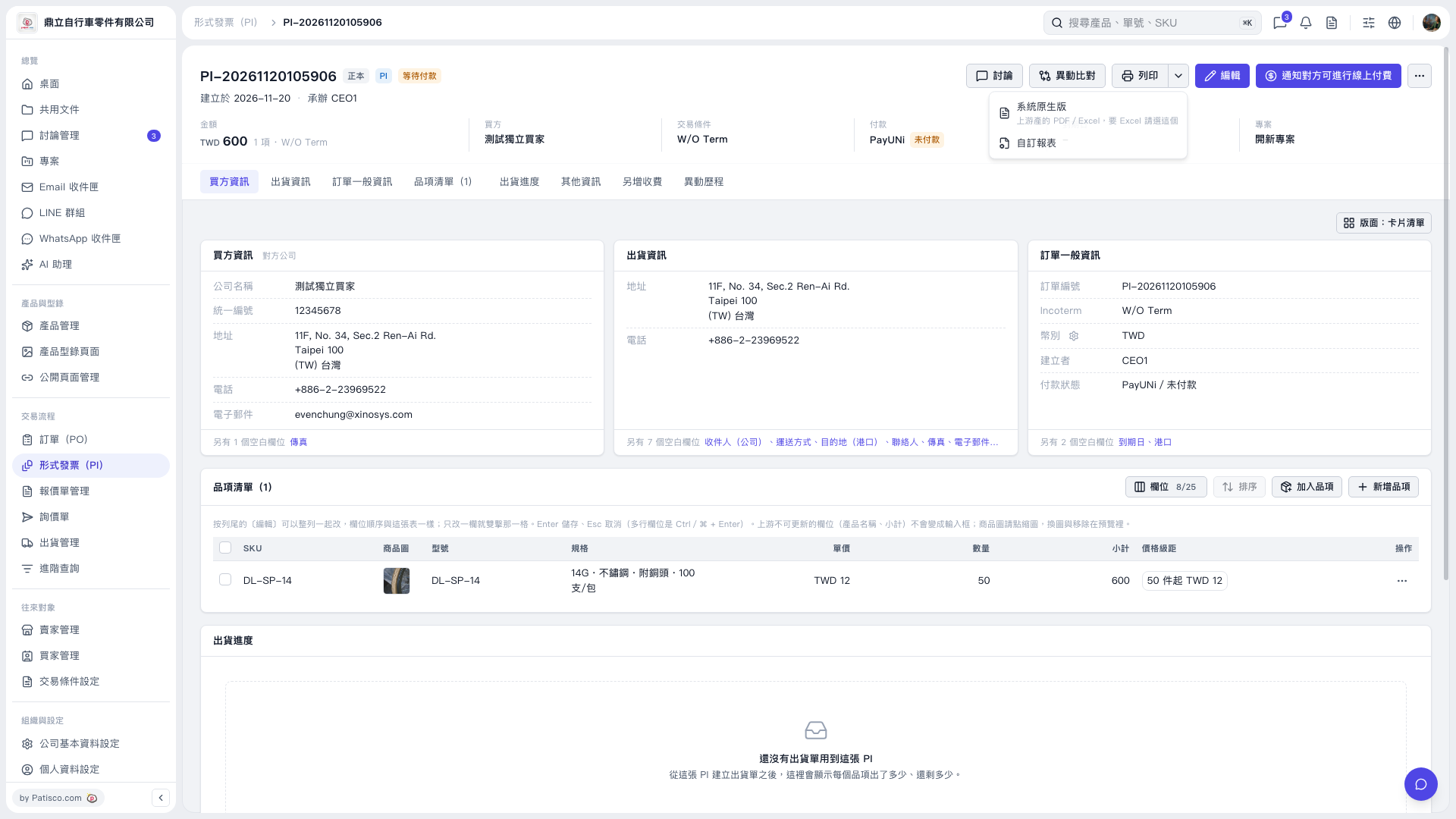
1. Open the Proforma Invoice you want to print and check the buyer, amount, and item details. 2. Click the drop-down arrow next to [Print] in the upper right. 3. Select [System Default] to use the system format or export to PDF or Excel. Select [Custom Report] to use a custom format. 4. Follow the subsequent screens to complete printing or exporting.
 V5 新桌面版|形式發票 PI–20261120105906