
1. Enter your message in the [Enter Message] field at the bottom of the thread. To attach a file, click the paperclip icon on the right. 2. Before sending, check the recipients and who can see the message. If [Only Colleagues Can See This] is displayed, the message is visible to colleagues. 3. Click [Send To…] if you need to select recipients. Click [Reply by Email] to reply by email. 4. After checking the content and recipients, click [Send].
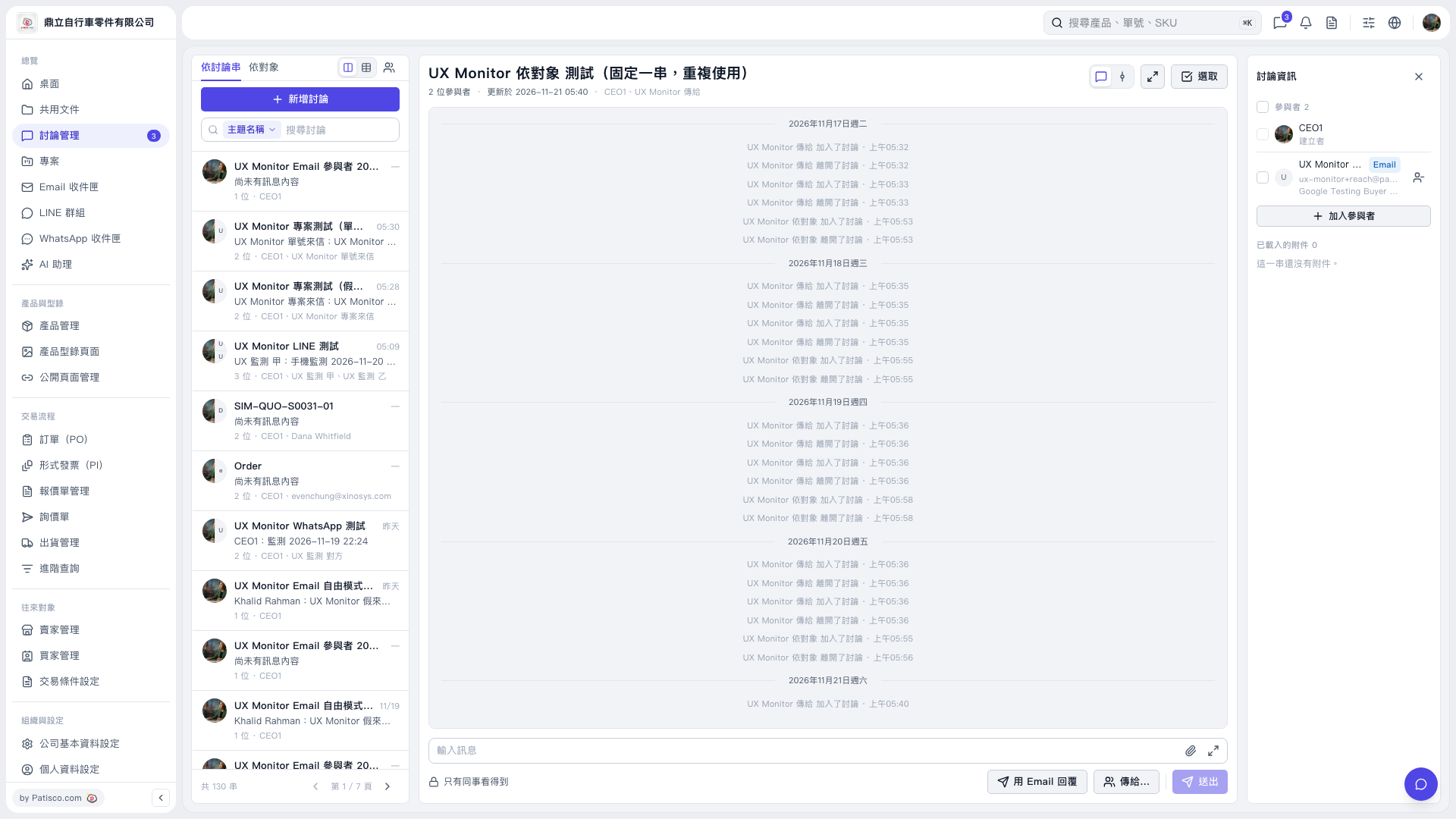 V5 新桌面版|UX Monitor 依對象 測試(固定一串,重複使用)