
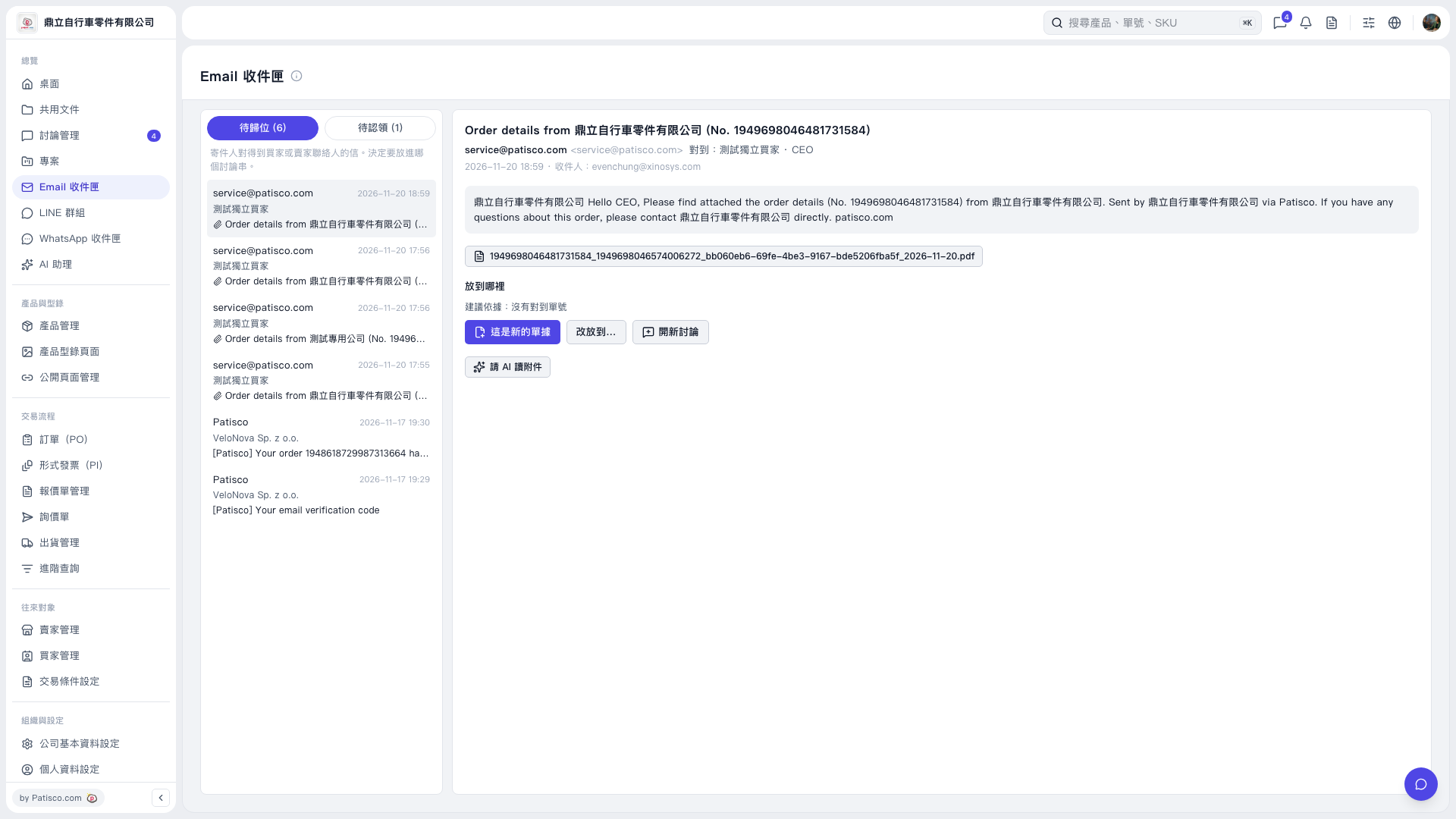
1. In Email Inbox, click Awaiting Filing, then select the email you want to process from the list on the left. 2. Review the sender, subject, body, and attachments on the right. 3. Check the Suggestion Basis under Where to File. If No Matching Document Number is displayed, use the email content to determine where to file it. 4. Select This Is a New Document, Move to..., or Start a New Discussion to continue filing the email. 5. To view emails awaiting claiming, switch to Awaiting Claim.
 V5 新桌面版|Email 收件匣