
1. Open the Proforma Invoice you want to edit and click “Edit” in the upper-right corner. 2. To add an existing product, click “Add Item” in the “Item List.” To create a new product, click “Create New Item.” 3. Check each item’s specifications, unit price, quantity, and subtotal, and confirm the buyer, currency, and payment status. 4. After confirming the contents, click “Submit” in the upper-right corner to submit your changes.
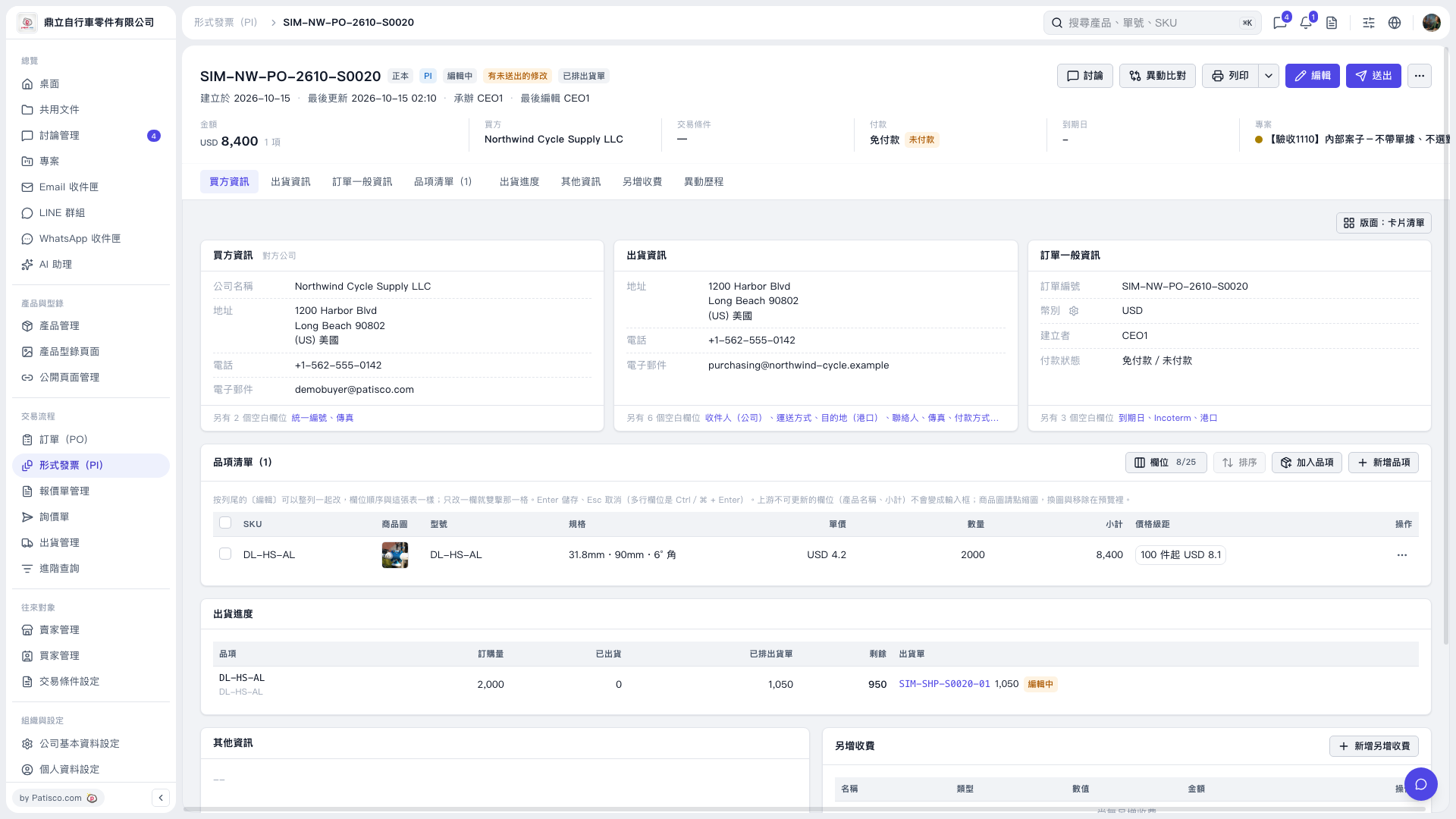 V5 新桌面版|形式發票(PI)SIM-NW-PO-2610-S0020