
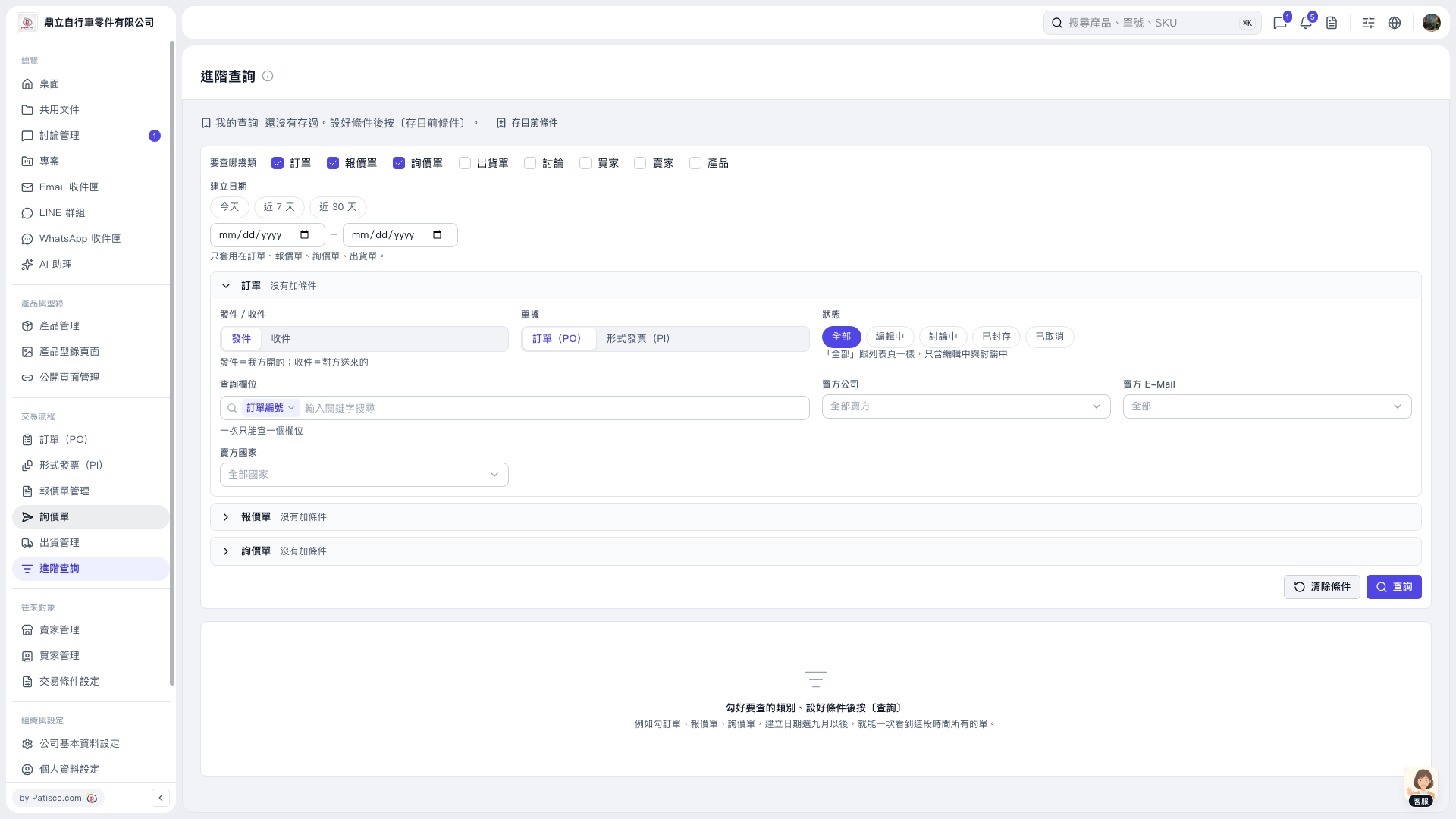
1. In Advanced Search, check "PO" under "Which data types would you like to search". You can also check Quotation, Inquiry, Shipping, Discussion, Buyer, Seller, or Product at the same time. 2. Use "Today", "Last 7 days", "Last 30 days", or enter start and end dates to set "Created Date". Date filters only apply to PO, Quotation, Inquiry, and Shipping. 3. Click "PO" to expand options, then select "Sent/Received", document type, and status. "Sent" refers to documents you created, while "Received" refers to documents sent by the other party. 4. To search by keyword, first select "Search Field", then enter "Keyword". You can only search one field at a time. You can also set "Seller Company", "Seller E-Mail", or "Seller Country". 5. Click "Search" at the bottom right to view results.
 V5 新桌面版|進階查詢