
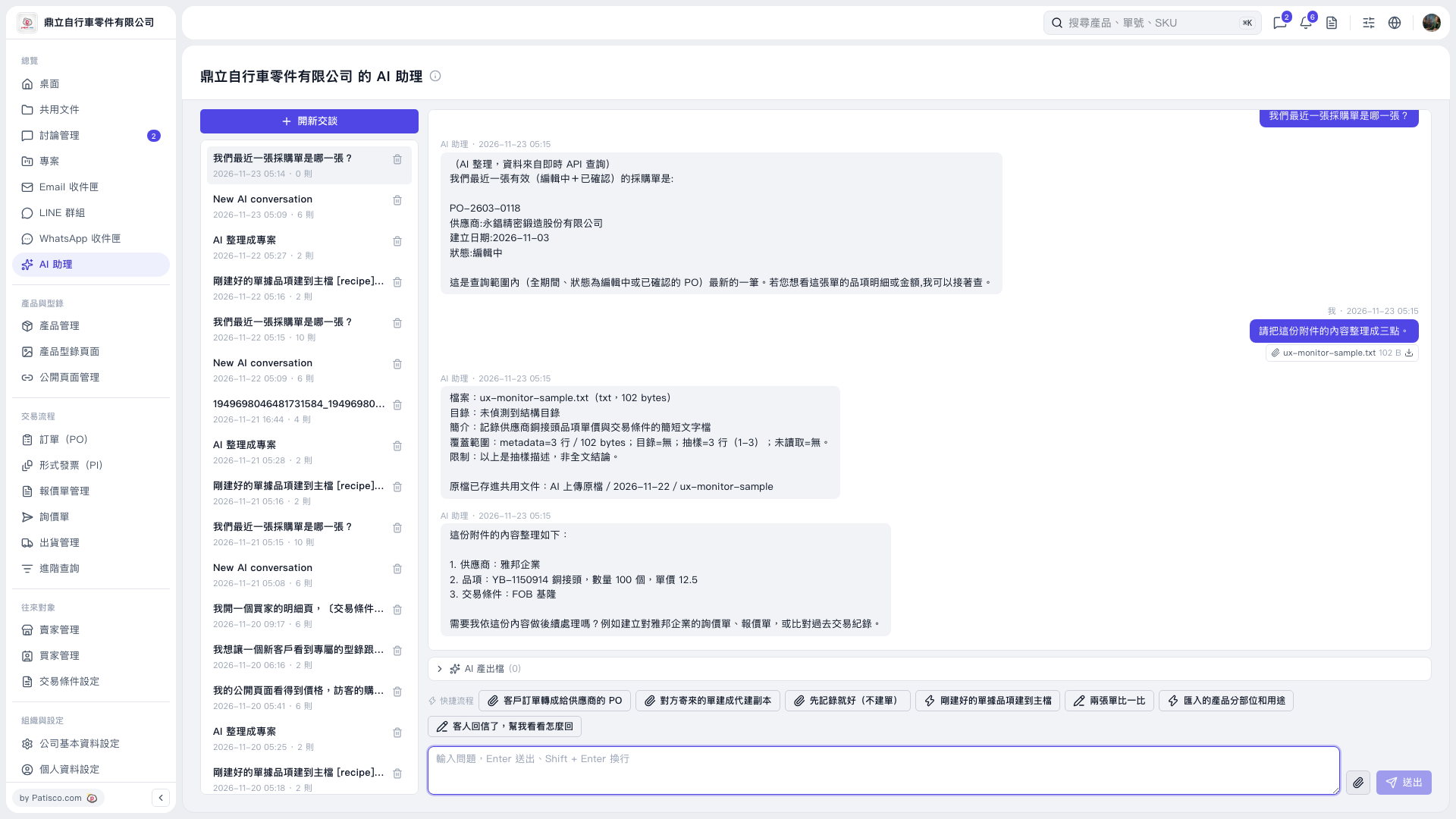
1. Click "New Conversation", or select an existing conversation from "Chat History" on the left. 2. Click the paperclip icon on the right side of the message input box at the bottom, and select the file you want analyzed. 3. Enter your request. You can ask: "Please organize the content of this attachment into three key points." 4. Click "Send" or press Enter; to create a new line, press Shift + Enter. 5. View the organized results in the conversation area, and you can ask follow-up questions. For example, with an attachment containing supplier information, items, and trading conditions, the AI will respond like this: "Here are the key points from this attachment: 1. Supplier information; 2. Items, quantity, and unit price; 3. Trading conditions."
 V5 新桌面版|鼎立自行車零件有限公司 的 AI 助理