
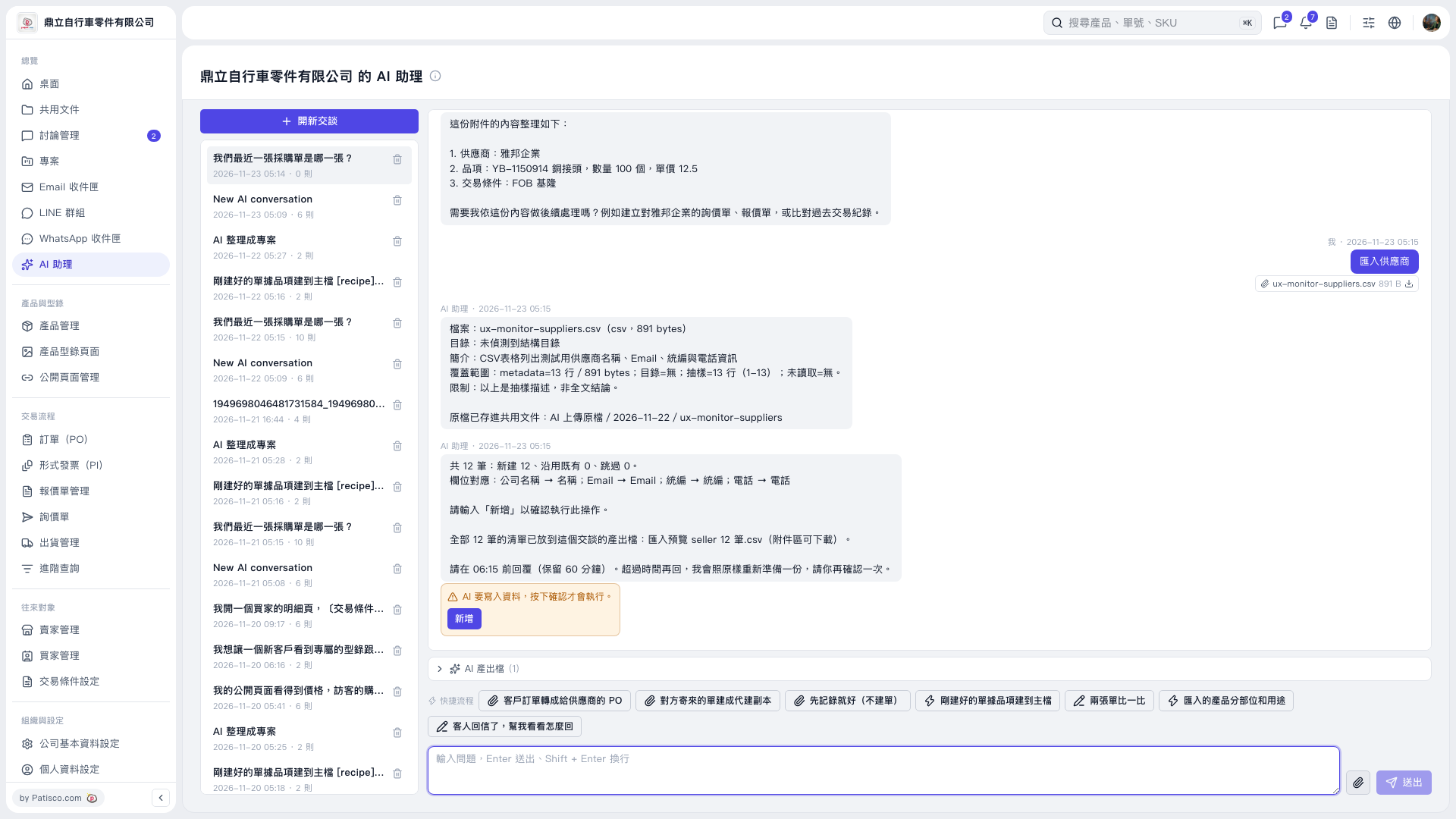
1. Click the attachment icon on the right side of the message input box, and upload your supplier CSV. 2. Enter your import request and click 〔Send〕. You can ask: "Please import this supplier CSV for me." 3. Check the number of records and field mapping in the AI response. The AI will respond like this: "Field mapping: Company Name → Name; Email → Email; Tax ID → Tax ID; Phone → Phone." 4. Expand 〔AI Output File (1)〕 and download the import preview CSV to verify the data to be imported. 5. After confirming the content is correct, within the timeframe shown on screen, click 〔Add〕 in the orange confirmation box to execute the supplier data import. 6. Check the subsequent AI response to confirm the execution result.
 V5 新桌面版|鼎立自行車零件有限公司 的 AI 助理