
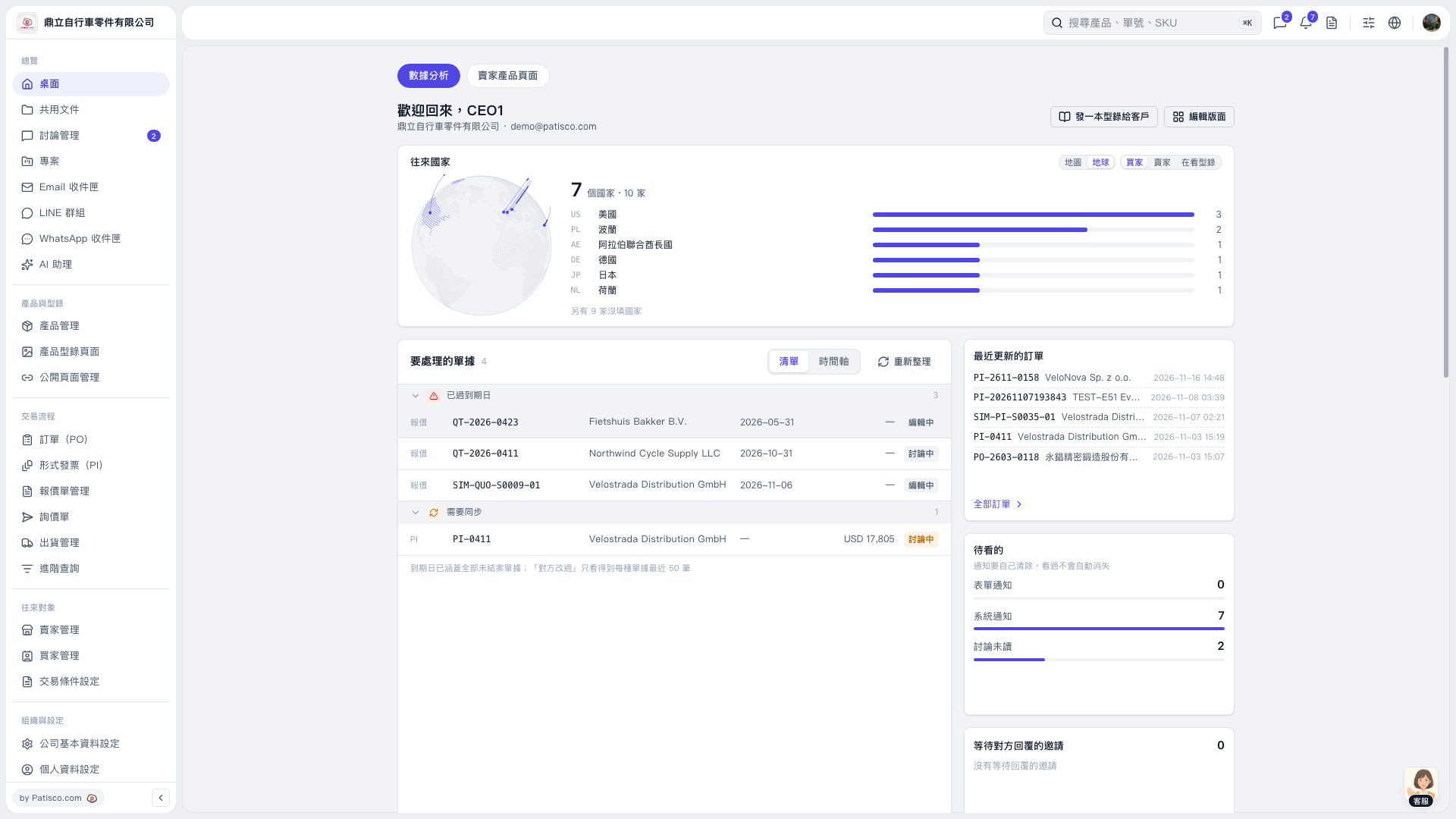
1. Click "Dashboard" in "Overview" on the left side and check "Data Analytics". 2. In "Documents to Process", view the documents in "Overdue" and "Need Sync" categories. You can click "List" or "Timeline" to switch the display mode. 3. Click the document number to open and view the content, status, and proceed with further processing. 4. Return to the dashboard and click "Refresh" to update the data for documents to process. 5. To view other orders, click on the order number in "Recently Updated Orders" or click "All Orders" to view the complete list.
 V5 新桌面版|桌面(數據分析)