
1. On the "PO" page, click "Sent (PO)" to view POs you have sent, or click "Received (PO)" to view POs you have received. 2. In the search area, select "PO Number", enter a keyword, and press Enter to search. 3. To narrow down further, click "Filter" to set search criteria. 4. View the matching POs in the list, including status, seller, buyer, amount, and creation time.
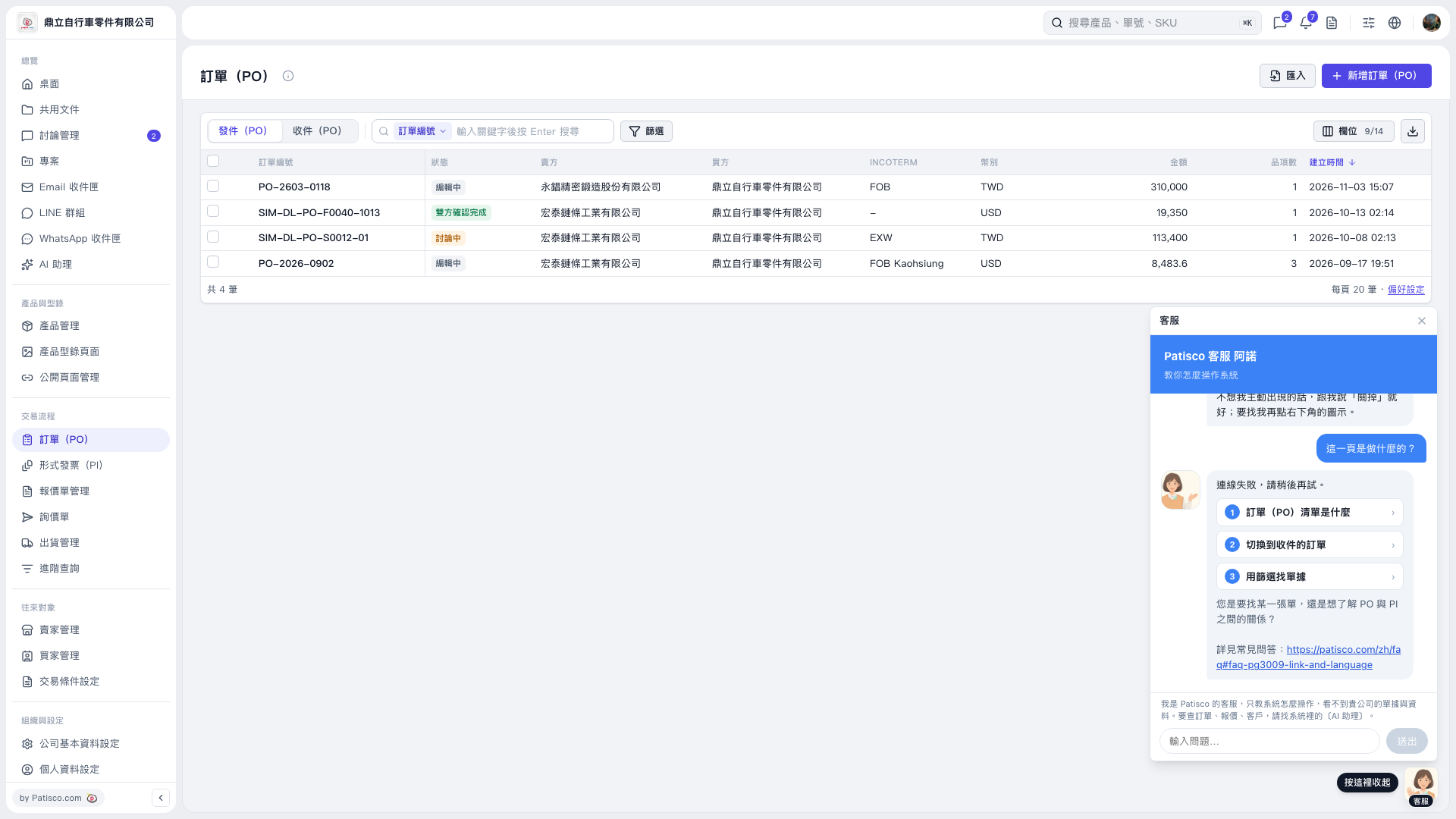 V5 新桌面版|訂單(PO)